HomeManaged ServicesNext Gen IT-InfraMonitoring & ManagementCyber SecurityBCP / DRAutomation
Managed Services
msp-dubai-accounting-firms-managed-it

Why accounting firms in Dubai need an MSP before they think they do?

🕓 April 24, 2026

Next Gen IT-Infra
Cato’s SASE Supports Cybersecurity Skills Development

How Cato’s SASE Supports Cybersecurity Skills Development

🕓 April 8, 2025

How SASE Supports the Security Needs of SMBs

How SASE Supports the Security Needs of SMBs

🕓 February 9, 2025

Attack Surface Reduction with Cato’s SASE

Attack Surface Reduction with Cato’s SASE

🕓 February 10, 2025

SASE for Digital Transformation in UAE

SASE for Digital Transformation in UAE

🕓 February 8, 2025

Monitoring & Management
Cost-Performance Ratio: Finding the Right Balance in IT Management Networks

Cost-Performance Ratio: Finding the Right Balance in IT Management Networks

🕓 June 16, 2025

Atera’s Communication Tools

Atera’s Communication Tools: Boosting IT Team Productivity in the UAE

🕓 February 8, 2025

Emerging Trends in IT Management

Emerging Trends in IT Management

🕓 February 10, 2025

Atera Disaster Recovery

Atera Disaster Recovery: Top Strategies for UAE IT Teams

🕓 February 9, 2025

Cyber Security
Illustration of the Cato Cloud architecture showing its role in delivering SASE for secure, optimized global connectivity.

Understanding the Cato Cloud and Its Role in SASE

🕓 January 29, 2025

Isometric illustration of professionals managing network performance, bandwidth analytics, and cloud-based optimization around the Cato Networks platform, symbolizing bandwidth control and QoS visibility.

Mastering Bandwidth Control and QoS in Cato Networks

🕓 July 26, 2025

Global network backbone powering Cato SASE solution for secure, high-performance connectivity across regions.

Global Backbone: The Engine Powering Cato’s SASE Solution

🕓 January 30, 2025

Illustration of team analyzing application traffic and usage insights on a large laptop screen using Cato’s dashboard, surrounded by network and cloud icons.

Cato Networks Application Visibility | Monitoring & Control

🕓 July 27, 2025

BCP / DR
Illustration showing diverse business and IT professionals collaborating with cloud, backup, and security icons, representing Vembu use cases for SMBs, MSPs, and IT teams.

Who Uses Vembu? Real-World Use Cases for SMBs, MSPs & IT Teams

🕓 July 12, 2025

Graphic showcasing Vembu’s all-in-one backup and disaster recovery platform with icons for cloud, data protection, and business continuity for IT teams and SMBs.

What Is Vembu? A Deep Dive Into the All in One Backup & Disaster Recovery Platform

🕓 July 6, 2025

Illustration showing Vembu backup and disaster recovery system with cloud storage, server racks, analytics dashboard, and IT professionals managing data.

The Rising Cost of Data Loss: Why Backup Is No Longer Optional?

🕓 August 14, 2025

3D isometric illustration of cloud backup and data recovery infrastructure with laptop, data center stack, and digital business icons — FSD Tech

RPO & RTO: The Heart of Business Continuity

🕓 August 15, 2025

Automation
Cross-Functional Collaboration with ClickUp

Fostering Cross-Functional Collaboration with ClickUp for Multi-Departmental Projects

🕓 February 11, 2025

ClickUp Project Reporting

Revolutionizing Enterprise Reporting with ClickUp’s Advanced Analytics and Dashboards

🕓 June 16, 2025

ClickUp’s Design Collaboration and Asset Management Tools

Empowering Creative Teams with ClickUp’s Design Collaboration and Asset Management Tools

🕓 February 26, 2025

ClickUp Communication and Collaboration Tools

ClickUp Communication and Collaboration Tools: Empowering Remote Teams

🕓 March 12, 2025

    Subscribe to our newsletter!

    About Us

    Follow Us

    Copyright © 2024 | Powered by 

    Atera

    (60)

    Cato Networks

    (131)

    ClickUp

    (78)

    FishOS

    (7)

    Miradore

    (21)

    PointGuard AI

    (9)

    Vembu

    (22)

    Xcitium

    (33)

    ZETA HRMS

    (79)

    Table of Contents

    What is a Static Route Floating Strategy and How Does It Work?

    Mohd Elayyan
    April 29, 2026
    Comments
    Static Route Floating

    Static route floating acts as your network's invisible safety net by providing a backup path that only appears when your main connection fails. Think of it like a spare tire for your internet traffic. You don't see it while the car is running fine, but the moment a primary link goes flat, the backup kicks in to keep you moving. In the world of networking, we call this redundancy.


    But why do we need a "floating" route specifically? To be honest, most routers are a bit stubborn. If you give them two paths to the same place, they usually pick the one they trust the most and ignore the other. By using a floating static route (FSR), we manually tell the router to keep the backup path hidden until the main one disappears. It’s a simple, elegant way to ensure your office or data center stays online without buying expensive, complex routing software.


    Understanding the Logic of Administrative Distance

    Before we jump into the setup, we need to talk about trust. Routers use a scale called Administrative Distance (AD) to decide which route is the "best." The lower the number, the more the router trusts the path.

    For example, a directly connected cable has an AD of 0. A standard static route usually has an AD of 1. Here is the trick: we configure our backup route with a higher AD, like 10 or 100. Because 10 is higher than 1, the router ignores the backup as long as the primary route is active.


    Expert Tip: If your primary route is a dynamic protocol like OSPF (AD 110), you must set your floating static route to something higher, like 120. If you don't, the static route will take over even when the main line is healthy!


    Optimize My Network

    How to Configure a Static Route Floating Path

    Setting this up is surprisingly fast. Let’s look at a realistic case. Imagine your company has a fast Fiber line (Primary) and a slower LTE link (Backup).


    1. Define the Primary Route: You point your traffic toward the Fiber gateway.
    2. Define the Floating Route: You point traffic toward the LTE gateway but add a "distance" number at the end.


    Why Use Floating Routes Over Dynamic Protocols?

    You might ask, "Why not just use OSPF or EIGRP for everything?" Well, in my experience, simplicity often wins. Dynamic protocols require "hello" packets and constant communication between routers. This eats up a tiny bit of bandwidth and CPU power.


    Static route floating is "set it and forget it." It doesn’t use extra bandwidth to maintain the backup. This makes it perfect for:


    • Remote branch offices with limited hardware.
    • Backup links that charge you by the megabyte (like satellite or LTE).
    • Connecting a small office to a single ISP.


    That said, static routes can't "see" a failure three hops away. They only know if their immediate neighbor is down. If the failure happens further up the line at the ISP's data center, your router might still think the primary path is fine.


    Also Read: NIC Duplex Modes: Guide to Half vs Full Duplex


    Using IP SLA for Smarter Floating Routes

    To fix the "blindness" of a standard static route floating setup, we use something called IP Service Level Agreement (IP SLA). This is like sending a scout ahead to check the road.


    We can tell the router to "ping" a reliable address (like Google’s DNS at 8.8.8.8) through the primary link every few seconds. If the pings stop coming back, the router realizes the path is dead—even if the physical cable is still plugged in. It then drops the primary route and lets the floating route take over.


    Benefits of IP SLA Integration:

    • Logical Failure Detection: It detects outages beyond the local cable.
    • Automatic Recovery: When the pings return, the router automatically switches back to the faster primary link.
    • Reliability: It turns a "dumb" static path into a "smart" redundant system.


    Common Mistakes to Avoid

    In my ten years of writing about networking, I've seen the same three mistakes happen over and over. First, people forget to check the AD of their dynamic protocols. If you're backing up an EIGRP route (AD 90) but set your floating route to AD 50, your "backup" will actually become the primary!


    Second, don't forget the return path. If your traffic goes out the backup link, the other side needs to know how to send it back. If the remote router doesn't have its own floating route pointing back to you, your packets will get lost in space.


    Lastly, watch out for "flapping." If your primary link is unstable and keeps going up and down, your router will constantly switch between paths. This can ruin a VoIP call or a video stream. Sometimes, adding a small delay (hold-down timer) is the best move.


    Also Read: Telnet Clear-Text Risks: Why Plain Text Protocols Threaten Your Security


    Comparing Static, Dynamic, and Floating Routes

    Route TypeBest Use CaseComplexityReliability
    Standard StaticSmall networks with one pathLowLow (No backup)
    Dynamic (OSPF)Large, changing networksHighHigh (Self-healing)
    Floating StaticSmall-to-medium backup linksMediumMedium-High

    Troubleshooting Your Floating Route

    Is your backup not kicking in? Here is a quick checklist:


    • Check the Routing Table: Use the command show ip route. If you see both routes, your AD values are likely the same.
    • Check Interface Status: A floating route only activates if the primary interface goes "Down/Down." If the interface stays "Up" but can't pass traffic, you need IP SLA.
    • Verify Next-Hop Reachability: Can you actually ping the backup gateway? Sometimes the backup link is down too!


    It’s also worth noting that static route floating works for both IPv4 and IPv6. While the commands look slightly different, the logic remains identical. You simply adjust the AD to ensure the backup stays hidden until it is needed.


    Conclusion

    At the end of the day, keeping your network reachable is our top priority. We've all been there—a backhoe cuts a fiber line, and suddenly the whole office is dark. By implementing a static route floating strategy, you give your network the resilience it needs to survive those "oops" moments. It's cost-effective, easy to manage, and incredibly reliable. We take pride in helping our clients build networks that don't just work, but stay working. If you're looking for more ways to bulletproof your infrastructure, we are here to help you every step of the way.


    Get a Network Audit


    Key Takeaways

    • Trust the AD: Floating routes rely on a higher Administrative Distance to stay inactive.
    • Manual Redundancy: It is a low-cost way to provide backup without complex protocols.
    • IP SLA is Key: Use tracking to detect failures that aren't purely physical.
    • Check Both Ways: Ensure the return path is also configured for redundancy.


    Frequently Asked Questions on Static Route Floating

    What is the default Administrative Distance for a static route?

    The default AD for a static route is 1. To make it "float," you must set the AD to 2 or higher.


    Can I have multiple floating routes?

    Yes! You can "stack" them. For example, Primary (AD 1), Fiber Backup (AD 10), and LTE Backup (AD 20).


    Does floating static routing work on all routers?

    Almost every professional-grade router (Cisco, Juniper, Ubiquiti) supports this logic, though the syntax varies.


    Is a floating route the same as load balancing?

    No. Load balancing uses two paths at the same time. A floating route stays completely unused until the first one fails.


    What is a Static Route Floating Strategy and How Does It Work?

    About The Author

    Mohd Elayyan

    Mohd Elayyan is an entrepreneur, cybersecurity expert, and AI governance leader bringing next-gen innovations to the Middle East and Africa. With expertise in AI Security, Governance, and Automated Offensive Security, he helps organizations stay ethical, compliant, and ahead of threats.

    TRY OUR PRODUCTS

    Like This Story?

    Share it with friends!

    Subscribe to our newsletter!

    FishOSCato SASEVembuXcitiumZeta HRMSAtera
    Isometric illustration of a centralized performance platform connected to analytics dashboards and team members, representing goal alignment, measurable outcomes, risk visibility, and strategic project tracking within ClickUp.

    How ClickUp Enables Outcome-Based Project Management (Not Just Task Tracking)

    🕓 February 15, 2026
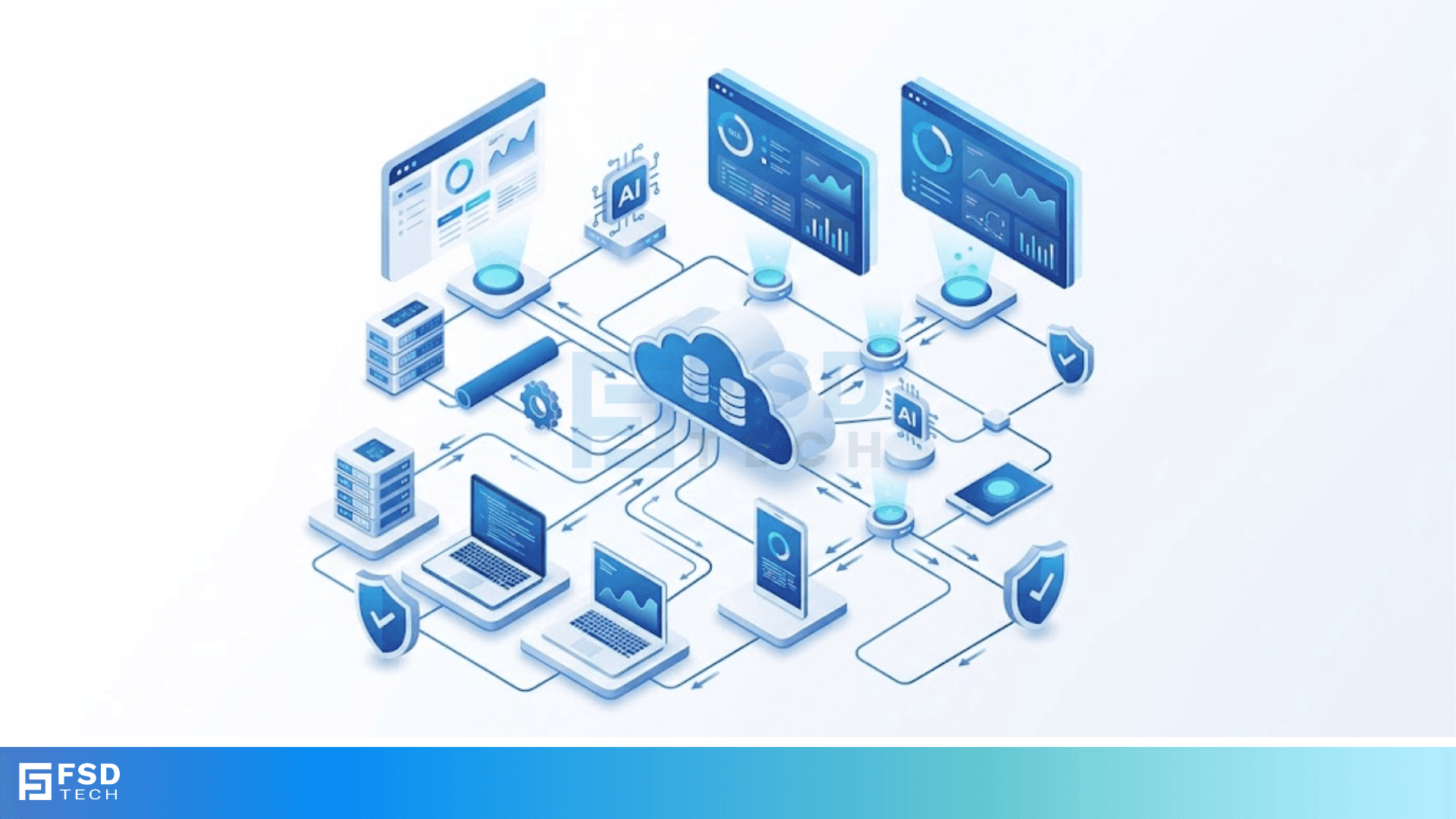
    Isometric illustration of a centralized executive dashboard platform connected to analytics panels, performance charts, security indicators, and strategic milestones, representing real-time business visibility and decision control within ClickUp.

    Executive Visibility in ClickUp – How CXOs Gain Real-Time Control Without Micromanaging

    🕓 February 13, 2026

    Cato SASE Architecture

    Inside Cato’s SASE Architecture: A Blueprint for Modern Security

    🕓 January 26, 2025

    Workflow Automation(8)

    Workforce Automation(1)

    AI Project Management(1)

    HR Data Automation(1)

    RMM(2)

    Firewall Security(1)

    IT Workflow Automation(1)

    GCC compliance(4)

    IT security(2)

    Payroll Integration(2)

    IT support automation(3)

    procurement automation(1)

    lost device management(1)

    IT Management(5)

    IoT Security(3)

    Cato XOps(1)

    IT compliance(5)

    Task Automation(1)

    Workflow Management(1)

    AI-powered cloud ops(1)

    OpenStack automation(1)

    Kubernetes lifecycle management(2)

    SMB Security(8)

    Data Security(1)

    MDR (Managed Detection & Response)(3)

    MSP Automation(3)

    Atera Integrations(2)

    Threat Detection & Response(1)

    XDR Security(2)

    SMB Cyber Protection(1)

    Ransomware Defense(3)

    HR Tech Solutions(1)

    Zero Trust Network Access(3)

    Post-Quantum Cryptography(1)

    Quantum Security(1)

    Quantum Threat UAE & GCC(1)

    Zero Trust Security(2)

    Cloud IDE Security(1)

    Endpoint Management(1)

    SaaS Security(2)

    Payroll Automation(5)

    IT Monitoring(2)

    Xcitium EDR SOC(15)

    Ransomware Protection GCC(1)

    Network Consolidation UAE(1)

    M&A IT Integration(1)

    MSSP for SMBs(1)

    SMB Cybersecurity GCC(1)

    FSD-Tech MSSP(25)

    Antivirus vs EDR(1)

    Managed EDR FSD-Tech(1)

    Ransomware Protection(3)

    Cybersecurity GCC(15)

    Endpoint Security(1)

    Data Breach Costs(1)

    Endpoint Protection(1)

    Xcitium EDR(30)

    SMB Cybersecurity(8)

    Managed Security Services(2)

    Zero Dwell Containment(31)

    Hybrid Backup(1)

    Cloud Backup(1)

    Backup & Recovery(1)

    pointguard ai(4)

    vembu(9)

    SMB data protection(9)

    disaster recovery myths(1)

    backup myths(1)

    Disaster Recovery(4)

    Vembu BDR Suite(19)

    GCCBusiness(1)

    DataProtection(1)

    Unified Network Management(1)

    Secure Access Service Edge(4)

    GCC IT Solutions(1)

    GCC HR software(20)

    financial cybersecurity(2)

    CC compliance(1)

    open banking(1)

    Miradore EMM(15)

    Government Security(1)

    Cato SASE(9)

    Cloud Security(9)

    Hybrid Learning(1)

    GCC Education(1)

    Talent Development(1)

    AI Governance(4)

    AI Risk Management(1)

    AI Compliance(2)

    AI Security(2)

    AI Cybersecurity(13)

    Secure Remote Access(1)

    GCC business security(1)

    GCC network integration(1)

    compliance automation(5)

    education security(1)

    GCC cybersecurity(3)

    BYOD security Dubai(8)

    App management UAE(1)

    Miradore EMM Premium+(5)

    share your thoughts

    IPv6 Hex Addressing:

    IPv6 Hex Addressing: Next Generation of the Internet

    🕓 April 29, 2026

    Static Route Floating

    What is a Static Route Floating Strategy and How Does It Work?

    🕓 April 29, 2026

    RIP Hop Count Metric

    RIP Hop Count Metric in Modern Networking

    🕓 April 28, 2026

    Managed Services(1)

    Decoded(229)

    Cyber Security(128)

    BCP / DR(22)

    Zeta HRMS(78)

    SASE(21)

    Automation(80)

    Next Gen IT-Infra(128)

    Monitoring & Management(81)

    ITSM(22)

    HRMS(21)

    Automation(24)









