HomeManaged ServicesNext Gen IT-InfraMonitoring & ManagementCyber SecurityBCP / DRAutomation
Managed Services
msp-dubai-accounting-firms-managed-it

Why accounting firms in Dubai need an MSP before they think they do?

🕓 April 24, 2026

Next Gen IT-Infra
Cato’s SASE Supports Cybersecurity Skills Development

How Cato’s SASE Supports Cybersecurity Skills Development

🕓 April 8, 2025

How SASE Supports the Security Needs of SMBs

How SASE Supports the Security Needs of SMBs

🕓 February 9, 2025

Attack Surface Reduction with Cato’s SASE

Attack Surface Reduction with Cato’s SASE

🕓 February 10, 2025

SASE for Digital Transformation in UAE

SASE for Digital Transformation in UAE

🕓 February 8, 2025

Monitoring & Management
Cost-Performance Ratio: Finding the Right Balance in IT Management Networks

Cost-Performance Ratio: Finding the Right Balance in IT Management Networks

🕓 June 16, 2025

Atera’s Communication Tools

Atera’s Communication Tools: Boosting IT Team Productivity in the UAE

🕓 February 8, 2025

Emerging Trends in IT Management

Emerging Trends in IT Management

🕓 February 10, 2025

Atera Disaster Recovery

Atera Disaster Recovery: Top Strategies for UAE IT Teams

🕓 February 9, 2025

Cyber Security
Illustration of the Cato Cloud architecture showing its role in delivering SASE for secure, optimized global connectivity.

Understanding the Cato Cloud and Its Role in SASE

🕓 January 29, 2025

Isometric illustration of professionals managing network performance, bandwidth analytics, and cloud-based optimization around the Cato Networks platform, symbolizing bandwidth control and QoS visibility.

Mastering Bandwidth Control and QoS in Cato Networks

🕓 July 26, 2025

Global network backbone powering Cato SASE solution for secure, high-performance connectivity across regions.

Global Backbone: The Engine Powering Cato’s SASE Solution

🕓 January 30, 2025

Illustration of team analyzing application traffic and usage insights on a large laptop screen using Cato’s dashboard, surrounded by network and cloud icons.

Cato Networks Application Visibility | Monitoring & Control

🕓 July 27, 2025

BCP / DR
Illustration showing diverse business and IT professionals collaborating with cloud, backup, and security icons, representing Vembu use cases for SMBs, MSPs, and IT teams.

Who Uses Vembu? Real-World Use Cases for SMBs, MSPs & IT Teams

🕓 July 12, 2025

Graphic showcasing Vembu’s all-in-one backup and disaster recovery platform with icons for cloud, data protection, and business continuity for IT teams and SMBs.

What Is Vembu? A Deep Dive Into the All in One Backup & Disaster Recovery Platform

🕓 July 6, 2025

Illustration showing Vembu backup and disaster recovery system with cloud storage, server racks, analytics dashboard, and IT professionals managing data.

The Rising Cost of Data Loss: Why Backup Is No Longer Optional?

🕓 August 14, 2025

3D isometric illustration of cloud backup and data recovery infrastructure with laptop, data center stack, and digital business icons — FSD Tech

RPO & RTO: The Heart of Business Continuity

🕓 August 15, 2025

Automation
Cross-Functional Collaboration with ClickUp

Fostering Cross-Functional Collaboration with ClickUp for Multi-Departmental Projects

🕓 February 11, 2025

ClickUp Project Reporting

Revolutionizing Enterprise Reporting with ClickUp’s Advanced Analytics and Dashboards

🕓 June 16, 2025

ClickUp’s Design Collaboration and Asset Management Tools

Empowering Creative Teams with ClickUp’s Design Collaboration and Asset Management Tools

🕓 February 26, 2025

ClickUp Communication and Collaboration Tools

ClickUp Communication and Collaboration Tools: Empowering Remote Teams

🕓 March 12, 2025

    Subscribe to our newsletter!

    About Us

    Follow Us

    Copyright © 2024 | Powered by 

    Atera

    (60)

    Cato Networks

    (131)

    ClickUp

    (78)

    FishOS

    (7)

    Miradore

    (21)

    PointGuard AI

    (9)

    Vembu

    (22)

    Xcitium

    (33)

    ZETA HRMS

    (79)

    Table of Contents

    NIC Duplex Modes: Guide to Half vs Full Duplex

    Surbhi Suhane
    April 28, 2026
    Comments
    NIC Duplex Modes

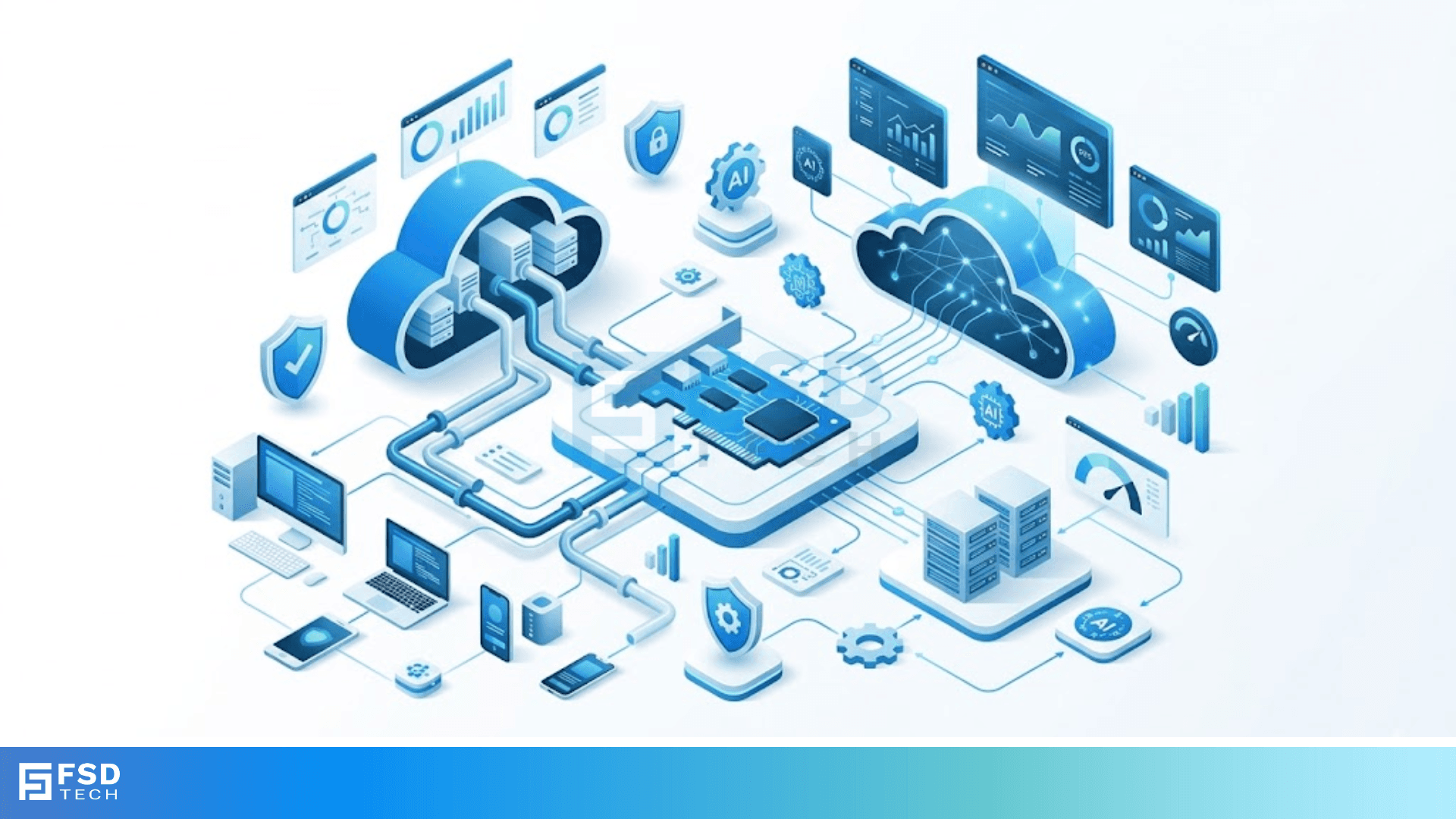
    NIC duplex modes determine how your computer talks to the network. Think of it like a conversation. Can both people speak at once, or must one wait for the other to finish? When you're setting up a home office or managing a large server room, understanding these modes is a game-changer. It helps you avoid slow speeds and weird connection drops.


    Have you ever felt like your internet was dragging, even though you have a fast plan? Sometimes, the hardware just isn't "talking" correctly. To be honest, we've all been there, scratching our heads at a laggy screen. Most of the time, the culprit is a tiny setting on your Network Interface Card (NIC). In this guide, we'll break down how these modes work and why they matter for your speed.


    NIC Duplex Modes and Their Roles

    NIC duplex modes are essentially the "traffic rules" for data. A Network Interface Card (NIC) is the hardware component—either a dedicated card or a chip on your motherboard—that connects your device to a network. The "mode" refers to the direction and timing of data flow.


    In my experience, people often ignore these settings because modern gear usually handles it automatically. But what happens when the "auto" part fails? You get a duplex mismatch. This is why knowing the difference between Simplex, Half-Duplex, and Full-Duplex is vital for anyone who uses a computer.


    Optimize My Network Now


    What is Simplex Mode?

    Simplex mode is the simplest form of communication. In this setup, data only travels in one direction. It’s a one-way street. One device acts as the sender, and the other is strictly the receiver.


    • How it works: The sender uses the entire bandwidth of the channel to push data out.
    • Real-world example: Think of a traditional television broadcast or a wireless doorbell. The station sends the signal to your TV, but your TV doesn't send anything back to the station through that same antenna.


    While NIC duplex modes usually focus on two-way communication, Simplex is the foundation. However, you won't find Simplex being used for modern internet browsing because the web requires you to send requests back to servers.


    How Half-Duplex Mode Affects Your Speed

    Half-duplex is a bit more advanced than simplex, but it still has limits. In this mode, data can move in both directions, but not at the same time. It's like a narrow bridge where cars must wait for the other side to be empty before crossing.


    "In a half-duplex system, the NIC can either send or receive data, but it can't do both simultaneously."


    If two devices try to speak at once in half-duplex, a "collision" occurs. The data gets garbled, and the NICs have to wait a random amount of time before trying again. We call this process CSMA/CD (Carrier Sense Multiple Access with Collision Detection).


    Also Read: DECnet Phase Routing: Evolution, Architecture, and Protocols


    When do we use Half-Duplex?

    Back in the day, old-school Ethernet hubs used half-duplex. Today, you mostly see it in:


    • Walkie-Talkies: You have to say "Over" so the other person knows it is their turn to talk.
    • Legacy Wi-Fi: Many older wireless standards operate on a half-duplex basis because they share a single frequency for sending and receiving.


    If your modern NIC duplex modes are stuck in half-duplex, you'll likely see your speeds cut in half. Why? Because your computer is spending half its time waiting.


    The Power of Full-Duplex Mode

    Full-duplex is the gold standard for modern networking. In this mode, data flows in both directions at the same time. There are no collisions because the "sending" lane and the "receiving" lane are separate.

    Picture a multi-lane highway. Cars can zoom North and South simultaneously without ever bumping into each other. This is how your modern Ethernet cable works. It has different pairs of wires for transmitting and receiving.


    Why Full-Duplex is Better

    1. No Collisions: Since paths are separate, data never bumps into other data.
    2. Double the Bandwidth: If you have a 100 Mbps connection in full-duplex, you can technically move 100 Mbps up and 100 Mbps down at once.
    3. Efficiency: Your NIC doesn't have to monitor the line for other "talkers" before it sends a packet.


    In my view, you should always aim for full-duplex. It makes everything from gaming to video calls feel much smoother. Most Gigabit (1000 Mbps) connections actually require full-duplex to function correctly.


    Comparing the Three Modes

    To make things easier, let's look at this simple table. It breaks down the key differences we just discussed.


    FeatureSimplexHalf-DuplexFull-Duplex
    DirectionOne-way onlyTwo-way (one at a time)Two-way (simultaneous)
    CollisionsNonePossibleNone
    PerformanceLowMediumHigh
    ExampleRadio/TVWalkie-talkieModern Ethernet/Phone

    What is Auto-Negotiation?

    Now, you might wonder, "How does my computer choose which mode to use?" This happens through a process called Auto-Negotiation. When you plug in an Ethernet cable, your NIC and the switch perform a "fast link pulse" (FLP). They basically whisper to each other: "Hey, I can do 1000 Mbps at Full-Duplex, can you?"


    If both devices agree, they settle on the highest common speed and mode. It's a great system until it breaks.


    The Dangers of a Duplex Mismatch

    A duplex mismatch happens when one side is hard-coded to Full-Duplex and the other is set to Auto-Negotiation. Here's the kicker: if the "Auto" side doesn't get a clear signal, it defaults to Half-Duplex for safety.

    Now you have one side yelling constantly (Full) and the other side trying to wait its turn (Half). The result? Tons of errors, slow speeds, and frustrated users. If you see "Late Collisions" in your network logs, a mismatch is usually why.


    Also Read: HTTPS TLS Handshake: How Your Browser Stays Safe


    How to Check Your NIC Duplex Modes on Windows

    Curious about what your computer is using? You don't need to be a rocket scientist to check. Here is a quick way to see your settings:


    1. Right-click the Start button and pick Device Manager.
    2. Find Network adapters and double-click your Ethernet card.
    3. Go to the Advanced tab.
    4. Look for Speed & Duplex in the list.


    Usually, it will say "Auto Negotiation." That is perfect for most people. If you see "100 Mbps Half Duplex," you might want to investigate why your hardware isn't pushing for more.


    Factors Influencing Duplex Performance

    Several things can force your NIC duplex modes into a slower state. It isn't always a software setting. Sometimes, the physical world gets in the way.


    Cable Quality

    Cheap or damaged cables are a major headache. If a wire inside your Cat5e or Cat6 cable is frayed, the NIC might realize it can't handle a full-duplex signal reliably. It will drop down to half-duplex or a lower speed to keep the connection alive.


    Network Switch Capabilities

    Your NIC can only go as fast as the switch it's plugged into. If you have a high-end gaming PC but plug it into a 15-year-old hub from your attic, you're going to be stuck in half-duplex. Switches are "smart" and support full-duplex; hubs are "dumb" and usually don't.


    Driver Issues

    Outdated drivers can make your NIC act like it's from 1995. Ensure you're running the latest software from the manufacturer. I've seen many cases where a simple driver update fixed a persistent speed issue.


    Impact on Modern Networking (IoT and Servers)

    In the world of servers and the Internet of Things (IoT), duplex modes are even more critical. A server handling thousands of requests cannot afford the delays of half-duplex.


    • For Servers: We always hard-code or strictly monitor NIC duplex modes to ensure maximum throughput.
    • For IoT: Many small smart devices (like a smart lightbulb) use very simple chips. These might only support half-duplex because they don't need to send much data. That's fine for a lightbulb, but bad for a streaming camera.


    Conclusion

    Understanding NIC duplex modes is the first step toward a stable network. Whether you are a casual browser or a tech pro, knowing how data moves helps you troubleshoot like a boss. We've all struggled with slow internet, but sometimes the fix is just a setting away. At our core, we believe in empowering you with the knowledge to stay connected. We're dedicated to making tech easy so you can focus on what matters most.


    Learn More About NICs


    Key Takeaways on NIC Duplex Modes 

    • Simplex is one-way only (like a radio).
    • Half-Duplex is two-way but one at a time (like a walkie-talkie).
    • Full-Duplex is two-way and simultaneous (like a phone call).
    • Auto-Negotiation is the protocol that helps devices choose the best mode.
    • A Duplex Mismatch causes major network lag and errors.
    • Full-Duplex is required for any modern high-speed activity.


    Frequently Asked Questions (FAQs) on NIC Duplex Modes 

    1. Can I force my NIC to Full-Duplex?

    Yes, you can do this in the Device Manager settings. However, be careful! If the switch on the other end isn't also set to Full-Duplex, you will create a mismatch.


    2. Why does my Gigabit Ethernet show as 100 Mbps?

    This usually means your cable is damaged or one of the devices doesn't support Gigabit. Check your cable for a "Cat5e" or "Cat6" label. If it just says "Cat5," it might be your bottleneck.


    3. Does Wi-Fi use Full-Duplex?

    Most current Wi-Fi (up to Wi-Fi 6) is technically half-duplex because it uses a shared radio frequency. However, technologies like MU-MIMO make it feel as fast as full-duplex by managing multiple streams.


    4. Is Full-Duplex always faster than Half-Duplex?

    Technically, yes. Even if the raw speed (like 100 Mbps) is the same, full-duplex is more efficient because it avoids the "wait time" required by half-duplex.


    5. What happens during a collision in half-duplex?

    The devices stop transmitting, wait for a tiny fraction of a second, and then try again. If your network is busy, this can happen thousands of times per second, slowing everything down.


    NIC Duplex Modes: Guide to Half vs Full Duplex

    About The Author

    Surbhi Suhane

    Surbhi Suhane is an experienced digital marketing and content specialist with deep expertise in Getting Things Done (GTD) methodology and process automation. Adept at optimizing workflows and leveraging automation tools to enhance productivity and deliver impactful results in content creation and SEO optimization.

    TRY OUR PRODUCTS

    Like This Story?

    Share it with friends!

    Subscribe to our newsletter!

    FishOSCato SASEVembuXcitiumZeta HRMSAtera
    Isometric illustration of a centralized performance platform connected to analytics dashboards and team members, representing goal alignment, measurable outcomes, risk visibility, and strategic project tracking within ClickUp.

    How ClickUp Enables Outcome-Based Project Management (Not Just Task Tracking)

    🕓 February 15, 2026
    Isometric illustration of a centralized executive dashboard platform connected to analytics panels, performance charts, security indicators, and strategic milestones, representing real-time business visibility and decision control within ClickUp.

    Executive Visibility in ClickUp – How CXOs Gain Real-Time Control Without Micromanaging

    🕓 February 13, 2026

    Cato SASE Architecture

    Inside Cato’s SASE Architecture: A Blueprint for Modern Security

    🕓 January 26, 2025

    Workflow Automation(8)

    Workforce Automation(1)

    AI Project Management(1)

    HR Data Automation(1)

    RMM(2)

    Firewall Security(1)

    IT Workflow Automation(1)

    GCC compliance(4)

    IT security(2)

    Payroll Integration(2)

    IT support automation(3)

    procurement automation(1)

    lost device management(1)

    IT Management(5)

    IoT Security(3)

    Cato XOps(1)

    IT compliance(5)

    Task Automation(1)

    Workflow Management(1)

    AI-powered cloud ops(1)

    OpenStack automation(1)

    Kubernetes lifecycle management(2)

    SMB Security(8)

    Data Security(1)

    MDR (Managed Detection & Response)(3)

    MSP Automation(3)

    Atera Integrations(2)

    Threat Detection & Response(1)

    XDR Security(2)

    SMB Cyber Protection(1)

    Ransomware Defense(3)

    HR Tech Solutions(1)

    Zero Trust Network Access(3)

    Post-Quantum Cryptography(1)

    Quantum Security(1)

    Quantum Threat UAE & GCC(1)

    Zero Trust Security(2)

    Cloud IDE Security(1)

    Endpoint Management(1)

    SaaS Security(2)

    Payroll Automation(5)

    IT Monitoring(2)

    Xcitium EDR SOC(15)

    Ransomware Protection GCC(1)

    Network Consolidation UAE(1)

    M&A IT Integration(1)

    MSSP for SMBs(1)

    SMB Cybersecurity GCC(1)

    FSD-Tech MSSP(25)

    Antivirus vs EDR(1)

    Managed EDR FSD-Tech(1)

    Ransomware Protection(3)

    Cybersecurity GCC(15)

    Endpoint Security(1)

    Data Breach Costs(1)

    Endpoint Protection(1)

    Xcitium EDR(30)

    SMB Cybersecurity(8)

    Managed Security Services(2)

    Zero Dwell Containment(31)

    Hybrid Backup(1)

    Cloud Backup(1)

    Backup & Recovery(1)

    pointguard ai(4)

    vembu(9)

    SMB data protection(9)

    disaster recovery myths(1)

    backup myths(1)

    Disaster Recovery(4)

    Vembu BDR Suite(19)

    GCCBusiness(1)

    DataProtection(1)

    Unified Network Management(1)

    Secure Access Service Edge(4)

    GCC IT Solutions(1)

    GCC HR software(20)

    financial cybersecurity(2)

    CC compliance(1)

    open banking(1)

    Miradore EMM(15)

    Government Security(1)

    Cato SASE(9)

    Cloud Security(9)

    Hybrid Learning(1)

    GCC Education(1)

    Talent Development(1)

    AI Governance(4)

    AI Risk Management(1)

    AI Compliance(2)

    AI Security(2)

    AI Cybersecurity(13)

    Secure Remote Access(1)

    GCC business security(1)

    GCC network integration(1)

    compliance automation(5)

    education security(1)

    GCC cybersecurity(3)

    BYOD security Dubai(8)

    App management UAE(1)

    Miradore EMM Premium+(5)

    share your thoughts

    RIP Hop Count Metric

    RIP Hop Count Metric in Modern Networking

    🕓 April 28, 2026

    NIC Duplex Modes

    NIC Duplex Modes: Guide to Half vs Full Duplex

    🕓 April 28, 2026

    Telnet Clear-Text Risks

    Telnet Clear-Text Risks: Why Plain Text Protocols Threaten Your Security

    🕓 April 27, 2026

    Managed Services(1)

    Decoded(227)

    Cyber Security(128)

    BCP / DR(22)

    Zeta HRMS(78)

    SASE(21)

    Automation(80)

    Next Gen IT-Infra(128)

    Monitoring & Management(81)

    ITSM(22)

    HRMS(21)

    Automation(24)









