.webp&w=3840&q=75)
How ClickUp Enables Outcome-Based Project Management (Not Just Task Tracking)
🕓 February 15, 2026
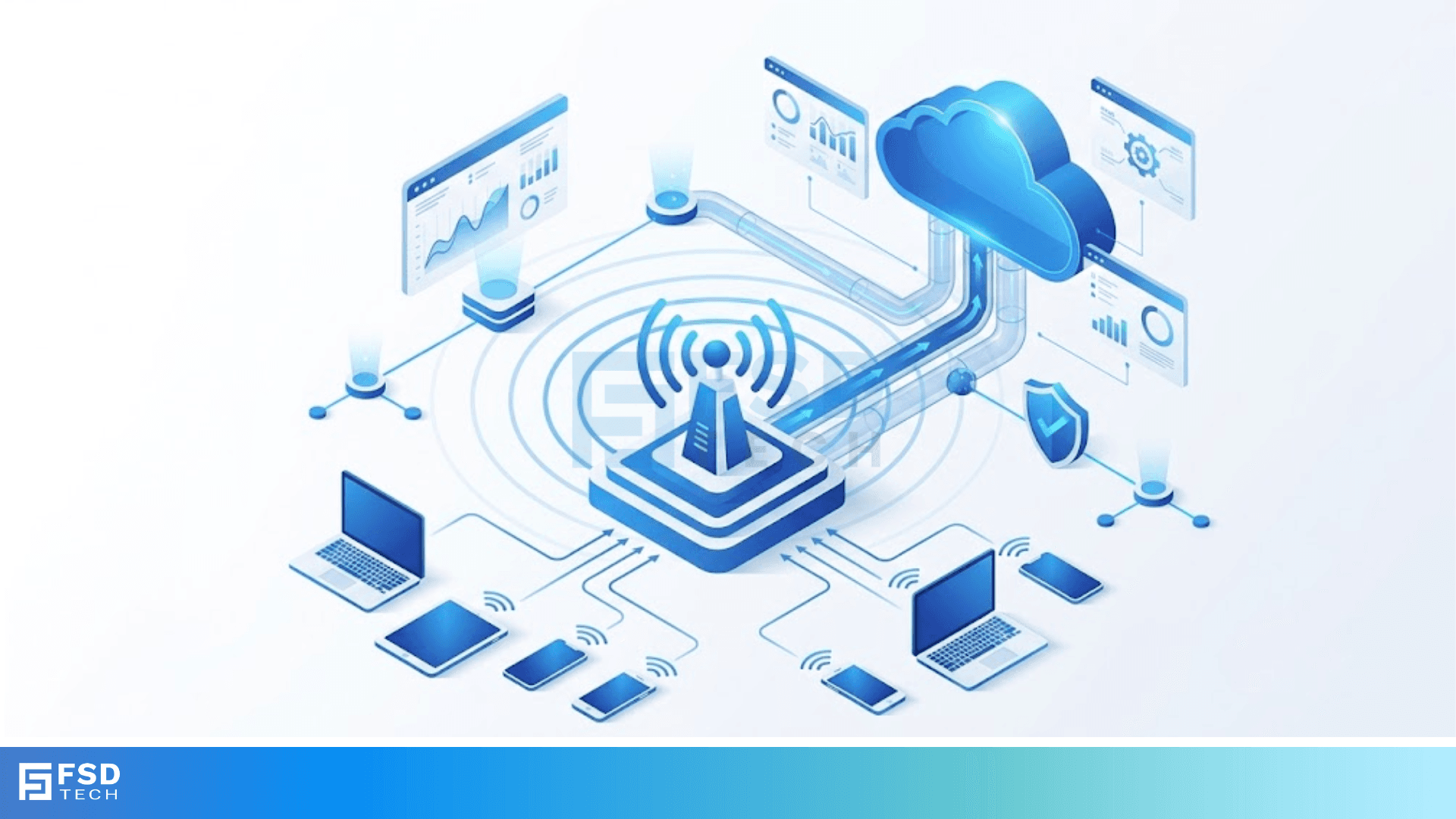
Repeater signal boosting serves as the most effective way to fix dropped calls and slow data in areas with weak cellular or radio reception. We've all been there—you're right in the middle of an important call, and suddenly, the audio cuts out. It’s frustrating, right? Whether you are in a basement office or a rural farmhouse, the distance from a broadcast tower or physical obstacles like concrete walls can ruin your connection.
Here is the thing: the signal is usually out there, but it’s just too weak to penetrate your building. That is where a repeater comes in to save the day. Think of it as a relay runner. It catches the signal from outside, gives it a massive energy boost, and passes it along to your devices inside.
In this guide, we will explore how this technology works, the different parts involved, and how you can set it up to get the best results. Ready to stop hunting for bars by the window? Let’s get into it.
The term repeater signal boosting refers to a system that picks up a faint radio frequency (RF) signal, amplifies it, and retransmits it. In technical circles, we often call these devices Bi-Directional Amplifiers (BDAs). They are "bi-directional" because they handle two-way traffic: they pull signals down from the tower (downlink) and push your phone's signal back up to the tower (uplink).
Why do we need them? RF signals are sensitive. They lose strength as they travel through the air. By the time a signal hits a thick brick wall or a metal roof, it might not have enough "juice" left to talk to your phone. A booster acts as a bridge, bypassing these physical blocks to ensure your devices stay connected.
To understand repeater signal boosting, you have to look at the three main parts of the system. In my experience, if one of these parts is off, the whole system fails.
Does it happen instantly? Yes. This process occurs in microseconds. You won't notice a delay; you will only notice that your "1 bar" of service suddenly jumped to "4 bars."
Have you ever wondered why your signal is great outside but disappears the second you walk through your front door? This happens because of "path loss." Materials like energy-efficient glass, steel beams, and even thick foliage can absorb RF energy.
Repeater signal boosting solves this by using a high-gain donor antenna. These antennas are often "directional," meaning they focus all their "hearing" in one specific direction toward the tower. This allows the system to grab a much cleaner signal than your tiny smartphone antenna ever could.
Also Read: Bridge Frame Forwarding: How Networks Manage Data
Not all boosters are the same. Depending on your needs, you might encounter a few different versions:
In my view, smart boosters are usually the way to go for modern homes. They are easier to install and less likely to cause trouble with local regulations.
Here is a pro tip that most people miss: you must keep your outside antenna and inside antenna away from each other. If they are too close, you get "oscillation."
Think of it like putting a microphone too close to a speaker. You get that loud, piercing squeal. In repeater signal boosting, this feedback loop can actually shut the system down or cause interference for everyone else in your neighborhood. We call this "isolation." You usually need at least 20 feet of vertical or horizontal distance between the two antennas to keep things running smoothly.
This is a question I get all the time. To be honest, it depends on where you live. In many countries, like the US (FCC) and UK (Ofcom), you can use signal boosters as long as they are "network protection" certified.
Why the rules? Because a poorly made or badly installed booster can "scream" back at the cell tower and knock out service for hundreds of people. Always check for certification labels before you buy. Most reputable brands are already cleared for use, but it's always good to double-check.
Choosing a system for repeater signal boosting doesn't have to be hard. You just need to answer three questions:
If you're looking for a simple home fix, a multi-carrier "plug-and-play" kit is usually your best bet. If you are managing a large office, you might need a professional site survey to map out where the antennas should go.
Also Read: Securing Your Perimeter: DMZ Exposed Services
Let's clear the air on a few things.
First, a booster does not "create" a signal. It only takes what is available and makes it stronger. Second, it won't give you faster internet than what the tower is actually providing. It just ensures you get the maximum speed possible by providing a stable connection.
Lastly, you don't need an internet connection for a repeater to work. Unlike "Femtocells" or "Microcells" that plug into your router, a repeater is purely a radio device. It works even if your home internet is down.
If you've decided to go for it, follow these simple steps to ensure your repeater signal boosting setup works perfectly:
At the end of the day, repeater signal boosting is about freedom. It's about the freedom to work from any room in your house or stay connected while living off the beaten path. We believe that everyone deserves a reliable connection, no matter the building materials or the distance from the tower. Our team is dedicated to providing clear, honest advice because we know how much a simple phone call or a fast download matters to your daily life.
Yes, many modern boosters are designed to handle 5G frequencies, specifically the sub-6 GHz bands used by most carriers today.
Actually, yes! When your phone has a weak signal, it works harder and uses more power to stay connected. A strong signal from a booster lets your phone "relax," which saves battery.
For most homes and small offices, yes. Kits come with everything you need. However, for large industrial spaces, we recommend professional installation.

Surbhi Suhane is an experienced digital marketing and content specialist with deep expertise in Getting Things Done (GTD) methodology and process automation. Adept at optimizing workflows and leveraging automation tools to enhance productivity and deliver impactful results in content creation and SEO optimization.
Share it with friends!




.webp&w=3840&q=75)






share your thoughts