.webp&w=3840&q=75)
How ClickUp Enables Outcome-Based Project Management (Not Just Task Tracking)
🕓 February 15, 2026
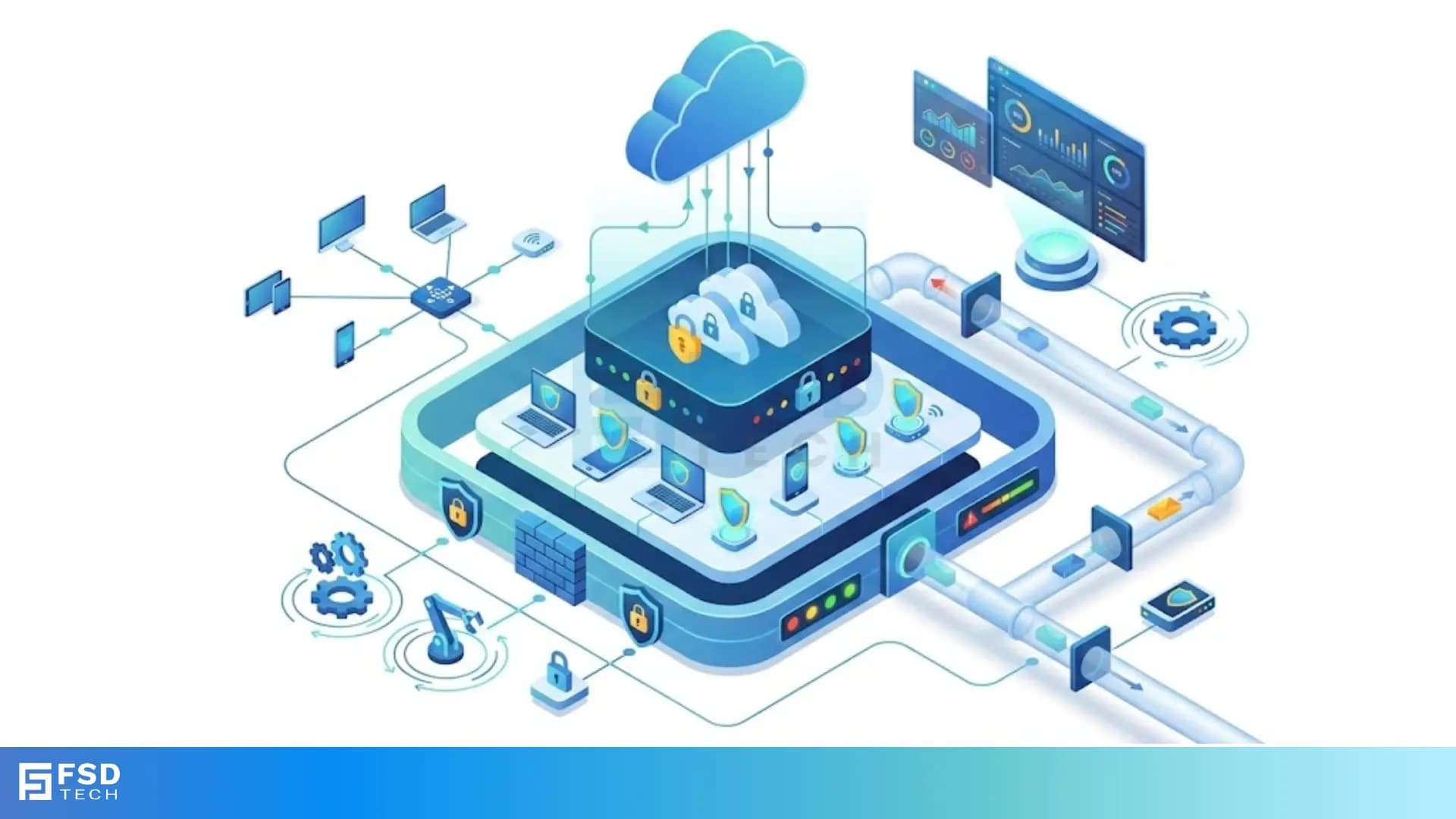
Defense in depth is the smartest way to protect your digital assets by using multiple layers of security. Think about how you protect your own home. You don't just lock the front door and call it a day, right? You probably have a fence, porch lights, maybe a camera, and a safe for your most valuable items.
In the world of cybersecurity, we do the same thing. We don't rely on just one firewall or a single password. Instead, we build a system where if one layer fails, another one is right there to stop the bad guys. But how does this actually work in a business setting? To be honest, many people think they are safe just because they bought an expensive antivirus. In my experience, that’s a dangerous gamble.
Let's chat about why layering is the gold standard for keeping your data safe.
The term defense in depth refers to a security strategy that uses several different defensive measures to protect information. Why can't we just use one really strong shield? Well, hackers are getting smarter every day. If you have only one line of defense, a single mistake by an employee or a tiny bug in your software can let an attacker in.
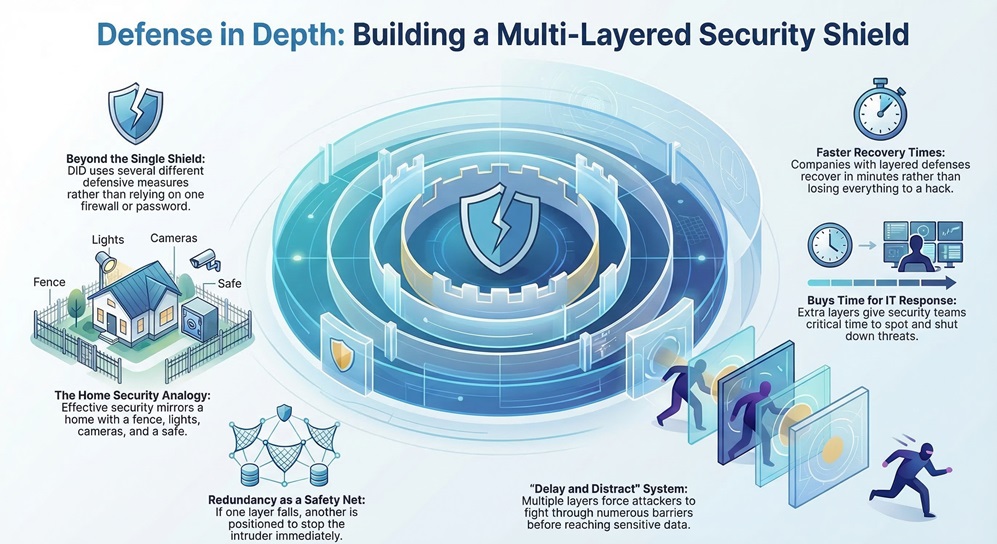
When you use DiD, you create a "delay and distract" system. Even if an attacker gets past your outer perimeter, they still have to fight through five more layers before they reach your data. This gives your IT team more time to spot the threat and shut it down. Have you ever wondered why some companies recover from hacks in minutes while others lose everything? It usually comes down to how many layers they had in place.
Actually, this isn't a new idea. The military has used this concept for thousands of years. Think of a medieval castle. You had a moat, then high walls, then guards on the towers, and finally a reinforced keep in the middle. If the enemy crossed the moat, they still had to climb the walls.
In the 1990s, the National Security Agency (NSA) started applying this "castle approach" to computers. We've come a long way since then, but the core idea remains: never trust a single point of failure.
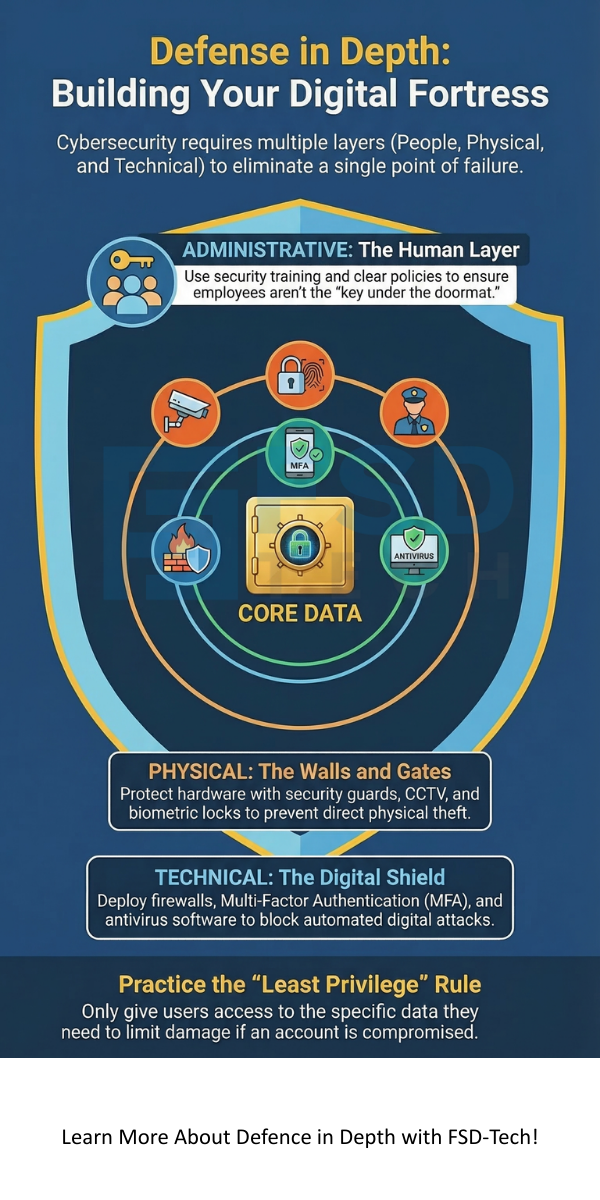
To build a strong system, we need to look at several specific areas. We can break these down into three main categories: Administrative, Physical, and Technical controls.
1. Administrative Controls: The Human Layer
In my view, this is the most underrated part of security. Defense in depth starts with the rules you set for your team. This includes things like:
If your people don't know the rules, your expensive tech won't matter. It's like having a high-tech security system but leaving the key under the doormat. We've all been there—forgetting a password or clicking a link too fast—but good training reduces those risks.
2. Physical Controls: The Walls and Gates
You might think cybersecurity is all about code, but physical access is just as vital. If a thief can walk into your server room and grab a hard drive, your encryption won't help much. Physical DiD layers include:
Does your office have a guest log? That’s a simple but effective physical control.
3. Technical Controls: The Digital Shield
This is the "techy" stuff everyone talks about. These are the software and hardware tools that block attacks automatically. We usually divide these into several sub-layers:
Also Read: Cato ZTNA in Practice: Combining Identity, Device, and Context in One Policy Engine
Now, let's get into the nitty-gritty. How does this strategy stop actual attacks like ransomware or phishing?
Stopping Phishing Attacks
Picture this: One of your employees receives a fake email from "the CEO" asking for a password.
See how that works? It took three layers to stop one simple mistake. Without defense in depth, that hacker would be inside your system right now.
Fighting Ransomware
Ransomware is every business owner's nightmare. It locks your files and demands money. Here’s how a layered approach fights back:
To be honest, backups are your ultimate "get out of jail free" card. If everything else fails, a solid backup saves the day.
Setting up a layered defense doesn't happen overnight. You have to be intentional about it. Here is how we usually recommend starting.
Use the Principle of Least Privilege (PoLP)
This is a fancy way of saying: "Only give people access to what they actually need." Does the marketing intern need access to the company's tax returns? Probably not. By limiting access, you limit the damage a hacker can do if they steal that person's login.
Keep Everything Updated
I know those "Update Windows" pop-ups are annoying. But here's the thing: most updates are actually security patches. Hackers love old software because it has holes they already know how to climb through. Regular patching is one of the cheapest and easiest layers of defense in depth you can have.
Monitor and Audit
You can't just set it and forget it. You need to check your logs. Are there weird login attempts from a country where you don't have employees? Is someone trying to download 50GB of data at 3:00 AM? Monitoring tools act like a night watchman for your data.
Also Read: Cato IoT/OT Device Discovery: Securing What You Can’t Install Agents On
Even with 10 years of experience, I see companies make the same errors. Don't let these happen to you:
At the end of the day, protecting your business isn't about being invincible. It's about being a difficult target. By implementing a strong defense in depth strategy, you make it so hard for hackers to succeed that they'll likely move on to an easier victim.
We've all seen the headlines about massive data breaches. Don't let your company be the next one. Start small, layer by layer, and build a culture where security is everyone's job. Our team is dedicated to helping you find that perfect balance between high-level protection and daily usability. We value your trust above all else, and we're here to make sure your digital world stays safe and sound.
They are basically the same thing. Some experts use "Layered Security" to describe the specific technical tools, while defense in depth covers the whole strategy, including people and physical locks.
Not at all! Even a small business can use it. Use a good antivirus, turn on MFA, train your two employees, and back up your files to the cloud. That's a solid layered defense for a small budget.
It shouldn't. Modern security tools are designed to work in the background. While adding 20 different firewalls might slow things down, a well-planned strategy shouldn't impact your daily work.
There isn't one "most important" layer—that's the whole point! However, if you had to start somewhere, MFA and Employee Training offer the biggest “bang for your buck.”

Surbhi Suhane is an experienced digital marketing and content specialist with deep expertise in Getting Things Done (GTD) methodology and process automation. Adept at optimizing workflows and leveraging automation tools to enhance productivity and deliver impactful results in content creation and SEO optimization.
Share it with friends!




.webp&w=3840&q=75)






share your thoughts