HomeNext Gen IT-InfraMonitoring & ManagementCyber SecurityBCP / DRAutomationDecoded
Next Gen IT-Infra
Cato’s SASE Supports Cybersecurity Skills Development

How Cato’s SASE Supports Cybersecurity Skills Development

🕓 April 8, 2025

How SASE Supports the Security Needs of SMBs

How SASE Supports the Security Needs of SMBs

🕓 February 9, 2025

Attack Surface Reduction with Cato’s SASE

Attack Surface Reduction with Cato’s SASE

🕓 February 10, 2025

SASE for Digital Transformation in UAE

SASE for Digital Transformation in UAE

🕓 February 8, 2025

Monitoring & Management
Understanding Atera’s SLA Management

Understanding Atera’s SLA Management

🕓 February 7, 2025

Cost-Performance Ratio: Finding the Right Balance in IT Management Networks

Cost-Performance Ratio: Finding the Right Balance in IT Management Networks

🕓 June 16, 2025

Customizing Atera with APIs

Customizing Atera with APIs

🕓 March 3, 2025

Power Up Your IT Team’s Strategy with Atera’s Communication Tools

Power Up Your IT Team’s Strategy with Atera’s Communication Tools

🕓 February 8, 2025

Cyber Security
Illustration of the Cato Cloud architecture showing its role in delivering SASE for secure, optimized global connectivity.

Understanding the Cato Cloud and Its Role in SASE

🕓 January 29, 2025

Isometric illustration of professionals managing network performance, bandwidth analytics, and cloud-based optimization around the Cato Networks platform, symbolizing bandwidth control and QoS visibility.

Mastering Bandwidth Control and QoS in Cato Networks

🕓 July 26, 2025

Global network backbone powering Cato SASE solution for secure, high-performance connectivity across regions.

Global Backbone: The Engine Powering Cato’s SASE Solution

🕓 January 30, 2025

Illustration of team analyzing application traffic and usage insights on a large laptop screen using Cato’s dashboard, surrounded by network and cloud icons.

Cato Networks Application Visibility | Monitoring & Control

🕓 July 27, 2025

BCP / DR
Illustration showing diverse business and IT professionals collaborating with cloud, backup, and security icons, representing Vembu use cases for SMBs, MSPs, and IT teams.

Who Uses Vembu? Real-World Use Cases for SMBs, MSPs & IT Teams

🕓 July 12, 2025

Graphic showcasing Vembu’s all-in-one backup and disaster recovery platform with icons for cloud, data protection, and business continuity for IT teams and SMBs.

What Is Vembu? A Deep Dive Into the All in One Backup & Disaster Recovery Platform

🕓 July 6, 2025

Illustration showing Vembu backup and disaster recovery system with cloud storage, server racks, analytics dashboard, and IT professionals managing data.

The Rising Cost of Data Loss: Why Backup Is No Longer Optional?

🕓 August 14, 2025

3D isometric illustration of cloud backup and data recovery infrastructure with laptop, data center stack, and digital business icons — FSD Tech

RPO & RTO: The Heart of Business Continuity

🕓 August 15, 2025

Automation
Cross-Functional Collaboration with ClickUp

Fostering Cross-Functional Collaboration with ClickUp for Multi-Departmental Projects

🕓 February 11, 2025

ClickUp Project Reporting

Revolutionizing Enterprise Reporting with ClickUp’s Advanced Analytics and Dashboards

🕓 June 16, 2025

ClickUp’s Design Collaboration and Asset Management Tools

Empowering Creative Teams with ClickUp’s Design Collaboration and Asset Management Tools

🕓 February 26, 2025

ClickUp Communication and Collaboration Tools

ClickUp Communication and Collaboration Tools: Empowering Remote Teams

🕓 March 12, 2025

Decoded
Multi-Factor Authentication (MFA)

Multi-Factor Authentication (MFA): All You Need to Know

🕓 December 7, 2025

L3 Switch

What Is an L3 Switch? L2 vs L3 & Why You Need Layer 3?

🕓 December 8, 2025

IPSec

IPSec Explained: Protocols, Modes, IKE & VPN Security

🕓 December 3, 2025

 Datagram Transport Layer Security (DTLS)

What is Datagram Transport Layer Security (DTLS)? How it works?

🕓 December 4, 2025

    Subscribe to our newsletter!

    About Us

    Follow Us

    Copyright © 2024 | Powered by 

    Atera

    (56)

    Cato Networks

    (130)

    ClickUp

    (78)

    FishOS

    (7)

    Miradore

    (21)

    PointGuard AI

    (9)

    Vembu

    (22)

    Xcitium

    (33)

    ZETA HRMS

    (79)

    Table of Contents

    Troubleshooting Device-Based Firewall Rules in Cato SASE

    Anas Abdu Rauf
    March 13, 2026
    Comments
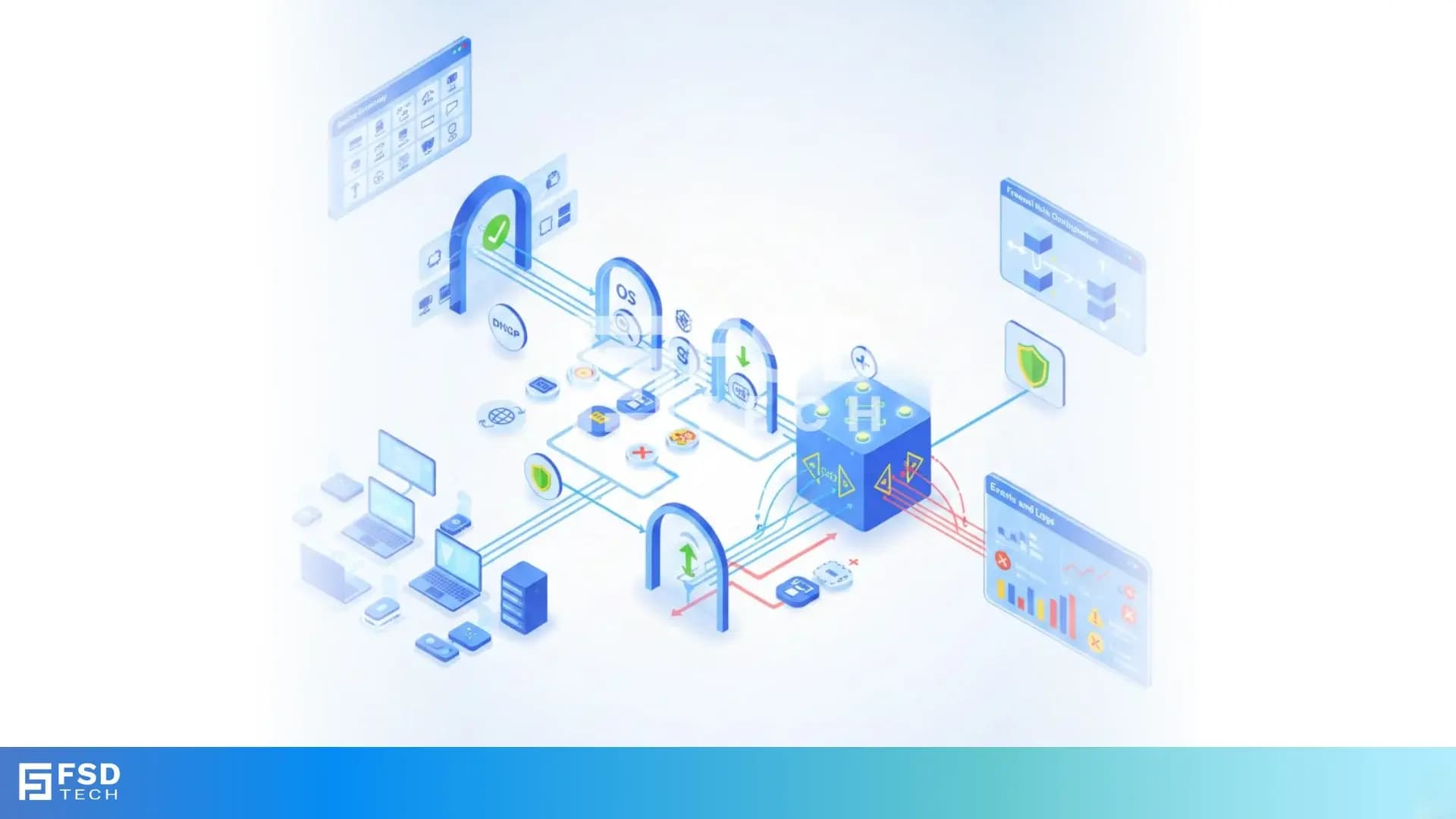
    Isometric diagram showing Cato SASE troubleshooting workflow where device inventory, DHCP mapping, posture validation, and firewall event logs are analyzed to diagnose device-based rule enforcement issues.

    When Device-Aware Policies Don’t Hit - Where to Look First

    Device-based firewall enforcement is one of the most powerful capabilities in Cato Networks SASE.
     It allows organizations to control access based on what the device is, where it connects from, and how it behaves — not just who the user is.

    But when a WAN or Internet Firewall rule doesn’t hit, the issue is rarely “the firewall is broken.”

    In almost every real-world case, the root cause is:

    • Misinterpreted device context
    • Inventory attribution gaps
    • Logical rule design issues
    • Or documented platform behavior not fully accounted for

    This blog walks through how to systematically troubleshoot device-based firewall rules in Cato SASE, using only official mechanisms and guidance.


    Understanding How Device-Based Firewall Evaluation Works

    Before troubleshooting, it’s critical to understand how Cato evaluates device-aware rules.

    In both WAN and Internet Firewalls:

    • All Device conditions are evaluated together
    • Different condition types use AND logic
    • Multiple values inside a single condition often use OR logic

    This evaluation model is precise - but unforgiving if misunderstood.


    Step 1: Confirm the Device Exists in Cato Device Inventory

    Device-based firewall rules only apply to devices that Cato can identify.

    First checks:

    • Does the device appear in Home → Devices → Inventory?
    • Is the device active (generated WANbound or outbound traffic in the last 3 days)?
    • Does it have a Device ID, MAC address, and attributes populated?
       

    If the device is missing from inventory:

    • The firewall rule cannot match, by design

    This is expected behavior, not an error.


    Step 2: Validate MAC Address Visibility (Critical)

    Cato explicitly documents that:

     Firewall rules using Device Attributes are enforced only for devices whose MAC address was detected.

    Common causes of MAC visibility issues:

    • DHCP not handled by Cato
    • Incomplete DHCP relay configuration
    • Devices communicating without identifiable protocols
       

    Best practice (documented by Cato):

    • Use Cato DHCP wherever possible
    • Or correctly configure DHCP Relay

    Without MAC visibility:

    • Device Attribute–based rules will silently not hit


    Step 3: Check Detection Latency and Device Classification Timing

    Device Inventory is behavior-based, not instantaneous.

    Cato documents:

    • Up to 12 hours may be required for full identification
    • New devices may appear as generic initially
       

    If a rule is applied immediately after onboarding:

    • The device may not yet meet attribute conditions
    • Enforcement may appear inconsistent at first

    This is normal and resolves as data matures.


    Step 4: Validate Device Attribute Accuracy

    If the device exists but the rule still doesn’t hit:

    Check the Quick View in Device Inventory:

    • Category
    • Type
    • Manufacturer
    • OS
    • OS Version
    • Data source (Cato vs third-party integration)

    Known documented behaviors:

    • Duplicate Device IDs
    • Merged devices (shared IP within 24 hours)
    • Attribute inconsistencies during traffic overlap

    These conditions directly affect rule matching.


    Step 5: Review Firewall Rule Logic (AND vs OR)

    One of the most common issues is logical misalignment, not platform failure.

    Key logic rules:

    • Between Conditions → AND

    If a rule includes:

    • Device Attributes
    • Platforms
    • Countries
    • Origin of Connection
    • Device Posture Profiles
       

    All must match simultaneously

    Example:

    Windows AND Device Profile A AND Remote user

    If one fails → rule does not hit.

    • Within a Condition → OR (Context Dependent)

    Examples:

    • Platforms: Windows OR macOS
    • Manufacturer: Dell OR HP

    But:

    • Multiple attribute types = AND

      (OS = Windows AND Manufacturer = Dell)

    Misunderstanding this is a frequent root cause.


    Step 6: Distinguish Device Attributes vs Device Posture Profiles

    Cato uses two different enforcement mechanisms, often confused:

    • Device Attributes
    • Derived from Device Inventory
    • Passive, behavior-based
    • Do not require Cato Client
    • Used for segmentation and exposure control
    • Device Posture Profiles
    • Enforced by Cato Client
    • Require identity agent
    • Validate compliance (AV, encryption, processes, etc.)
       

    If a rule uses Device Posture Profiles:

    • The Cato Client must be installed
    • Client version must meet minimum requirements
    • Unsupported clients follow configured skip/apply logic
       

    If the client is missing or unsupported:

    • The rule may never match


    Step 7: Use Events to Confirm Why a Rule Didn’t Apply

    Cato provides explicit visibility, not guesswork.

    Check:

    • Events page
    • Filter by firewall policy
    • Look for:
      • Policy hit
      • Policy skip
      • Client Connectivity Policy failures (for posture-based rules)
         

    For posture enforcement:

    • Failed posture checks generate Client Connectivity Policy events
    • These explain why access was denied or skipped


    Step 8: Confirm Origin of Connection Logic

    Many rules fail due to origin mismatch.

    Cato evaluates:

    • Remote users (Cato Client)
    • Devices behind a site (Socket)

    If a rule is scoped to:

    • Remote users only

    But traffic originates:

    • Behind a site

    The rule will never match - correctly.


    Operational Best Practices for Faster Troubleshooting

    Cato-aligned best practices include:

    • Validate Device Inventory before editing rules
    • Avoid stacking too many device conditions in a single rule
    • Use allow rules with minimum requirements
    • Let non-compliant devices fall to implicit deny
    • Test with known, stable devices first


    Having trouble with device-based firewall rules in Cato SASE? → Book a 30-minute Cato SASE architecture consultation with our experts.
     

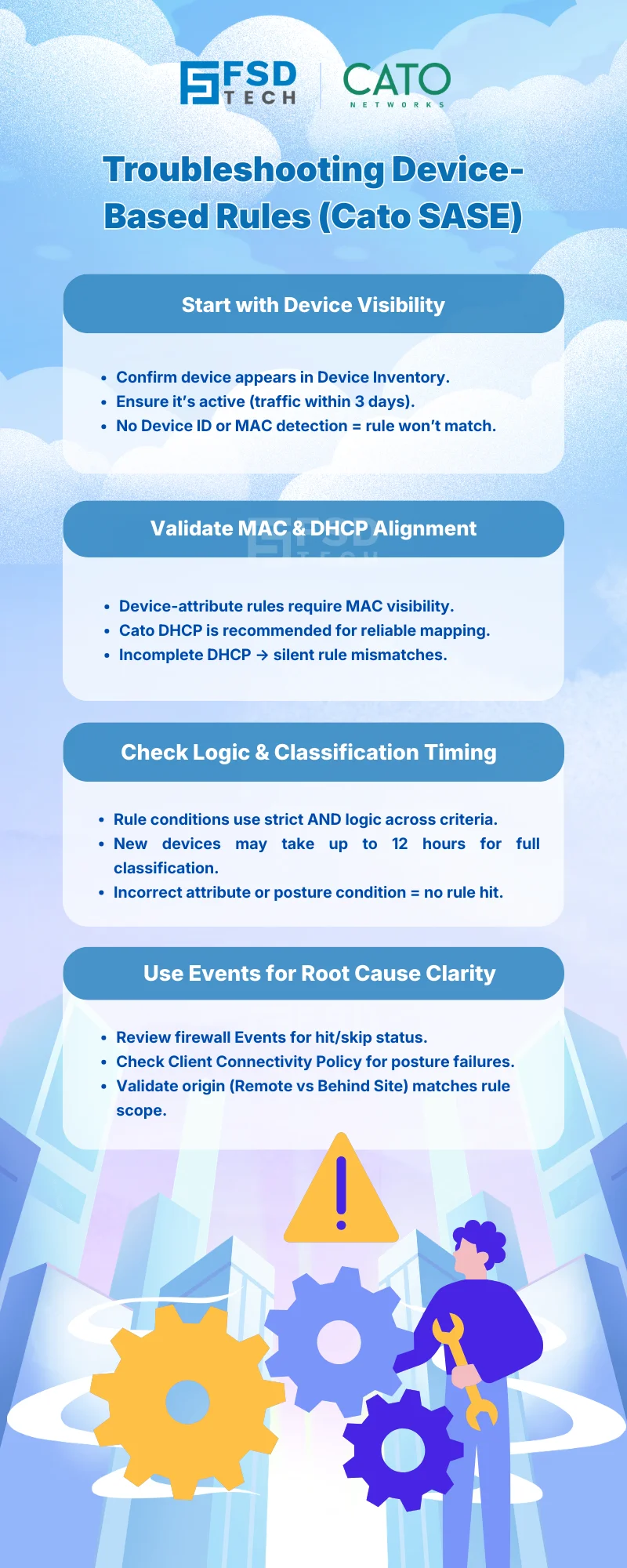
    Troubleshooting device-based firewall rules in Cato SASE infographic explaining how device inventory visibility, MAC and DHCP alignment, rule logic validation, and firewall event analysis help identify why device-aware security policies fail to match.


    FAQs: Troubleshooting Device-Based Firewall Rules in Cato SASE


    Why isn’t my Cato WAN Firewall rule matching a device?

    Most commonly because the device is missing from Device Inventory, lacks MAC visibility, or fails one of the AND-based device conditions.


    Do Cato Internet Firewall rules require the Cato Client?

    Only if the rule uses Device Posture Profiles. Rules based on Device Attributes do not require the Cato Client.


    Why does a device appear in inventory but still not match a rule?

    Because attributes may still be populating, detection latency applies, or the rule logic combines multiple conditions that are not all met.


    How does Cato recommend verifying posture-based rule failures?

    By reviewing Client Connectivity Policy events in the Events page, which explicitly log posture failures.


    Can incorrect DHCP configuration affect device-based rules?

    Yes. Without MAC detection, Device Attribute–based firewall enforcement will not apply.


    Is this behavior expected in large or dynamic networks?

    Yes. Cato documents these behaviors and provides design guidance to build resilient, layered policies.


    Is troubleshooting device-based rules complex in Cato SASE?

    No - because Cato provides clear inventory views, event logging, and documented logic, allowing teams to resolve issues systematically.


    Closing Perspective

    Device-based firewall enforcement in Cato SASE is deterministic, transparent, and auditable - when used as designed.

    Most issues are not platform failures, but context misunderstandings.


    By aligning policy design with how Cato actually identifies and evaluates devices, organizations gain:

    • Faster troubleshooting
    • Cleaner policies
    • Stronger Zero Trust enforcement
    • Lower operational friction

    That’s how Cato SASE turns device awareness into predictable control.


    Troubleshooting Device-Based Firewall Rules in Cato SASE

    About The Author

    Anas Abdu Rauf

    Anas is an Expert in Network and Security Infrastructure, With over seven years of industry experience, holding certifications Including CCIE- Enterprise, PCNSE, Cato SASE Expert, and Atera Certified Master. Anas provides his valuable insights and expertise to readers.

    TRY OUR PRODUCTS

    Like This Story?

    Share it with friends!

    Subscribe to our newsletter!

    FishOSCato SASEVembuXcitiumZeta HRMSAtera
    Isometric illustration of a centralized performance platform connected to analytics dashboards and team members, representing goal alignment, measurable outcomes, risk visibility, and strategic project tracking within ClickUp.

    How ClickUp Enables Outcome-Based Project Management (Not Just Task Tracking)

    🕓 February 15, 2026
    Isometric illustration of a centralized executive dashboard platform connected to analytics panels, performance charts, security indicators, and strategic milestones, representing real-time business visibility and decision control within ClickUp.

    Executive Visibility in ClickUp – How CXOs Gain Real-Time Control Without Micromanaging

    🕓 February 13, 2026

    Cato SASE Architecture

    Inside Cato’s SASE Architecture: A Blueprint for Modern Security

    🕓 January 26, 2025

    Workflow Automation(8)

    Workforce Automation(1)

    AI Project Management(1)

    HR Data Automation(1)

    RMM(2)

    IT Workflow Automation(1)

    GCC compliance(4)

    IT security(2)

    Payroll Integration(2)

    IT support automation(3)

    procurement automation(1)

    lost device management(1)

    IT Management(5)

    IoT Security(2)

    Cato XOps(1)

    IT compliance(4)

    Task Automation(1)

    Workflow Management(1)

    Kubernetes lifecycle management(2)

    OpenStack automation(1)

    AI-powered cloud ops(1)

    SMB Security(8)

    Data Security(1)

    MDR (Managed Detection & Response)(3)

    Atera Integrations(2)

    MSP Automation(3)

    XDR Security(2)

    Threat Detection & Response(1)

    SMB Cyber Protection(1)

    Ransomware Defense(3)

    HR Tech Solutions(1)

    Zero Trust Network Access(3)

    Quantum Threat UAE & GCC(1)

    Post-Quantum Cryptography(1)

    Quantum Security(1)

    Cloud IDE Security(1)

    Zero Trust Security(2)

    Endpoint Management(1)

    SaaS Security(2)

    Payroll Automation(5)

    IT Monitoring(2)

    Xcitium EDR SOC(15)

    Ransomware Protection GCC(1)

    Network Consolidation UAE(1)

    M&A IT Integration(1)

    MSSP for SMBs(1)

    Managed EDR FSD-Tech(1)

    SMB Cybersecurity GCC(1)

    FSD-Tech MSSP(25)

    Ransomware Protection(3)

    Antivirus vs EDR(1)

    Endpoint Security(1)

    Cybersecurity GCC(14)

    Data Breach Costs(1)

    Endpoint Protection(1)

    SMB Cybersecurity(8)

    Xcitium EDR(30)

    Zero Dwell Containment(31)

    Managed Security Services(2)

    Cloud Backup(1)

    Hybrid Backup(1)

    Backup & Recovery(1)

    pointguard ai(4)

    vembu(9)

    backup myths(1)

    disaster recovery myths(1)

    SMB data protection(9)

    Disaster Recovery(4)

    Vembu BDR Suite(19)

    DataProtection(1)

    GCCBusiness(1)

    Secure Access Service Edge(4)

    GCC IT Solutions(1)

    Unified Network Management(1)

    GCC HR software(20)

    open banking(1)

    financial cybersecurity(2)

    CC compliance(1)

    Miradore EMM(15)

    Government Security(1)

    Cato SASE(9)

    GCC Education(1)

    Hybrid Learning(1)

    Cloud Security(9)

    Talent Development(1)

    AI Governance(4)

    AI Compliance(2)

    AI Cybersecurity(13)

    AI Security(2)

    AI Risk Management(1)

    Secure Remote Access(1)

    GCC business security(1)

    GCC network integration(1)

    compliance automation(5)

    GCC cybersecurity(3)

    education security(1)

    App management UAE(1)

    BYOD security Dubai(8)

    Miradore EMM Premium+(5)

    MiddleEast(1)

    share your thoughts

    Isometric diagram showing Cato SASE troubleshooting workflow where device inventory, DHCP mapping, posture validation, and firewall event logs are analyzed to diagnose device-based rule enforcement issues.

    Troubleshooting Device-Based Firewall Rules in Cato SASE

    🕓 March 13, 2026

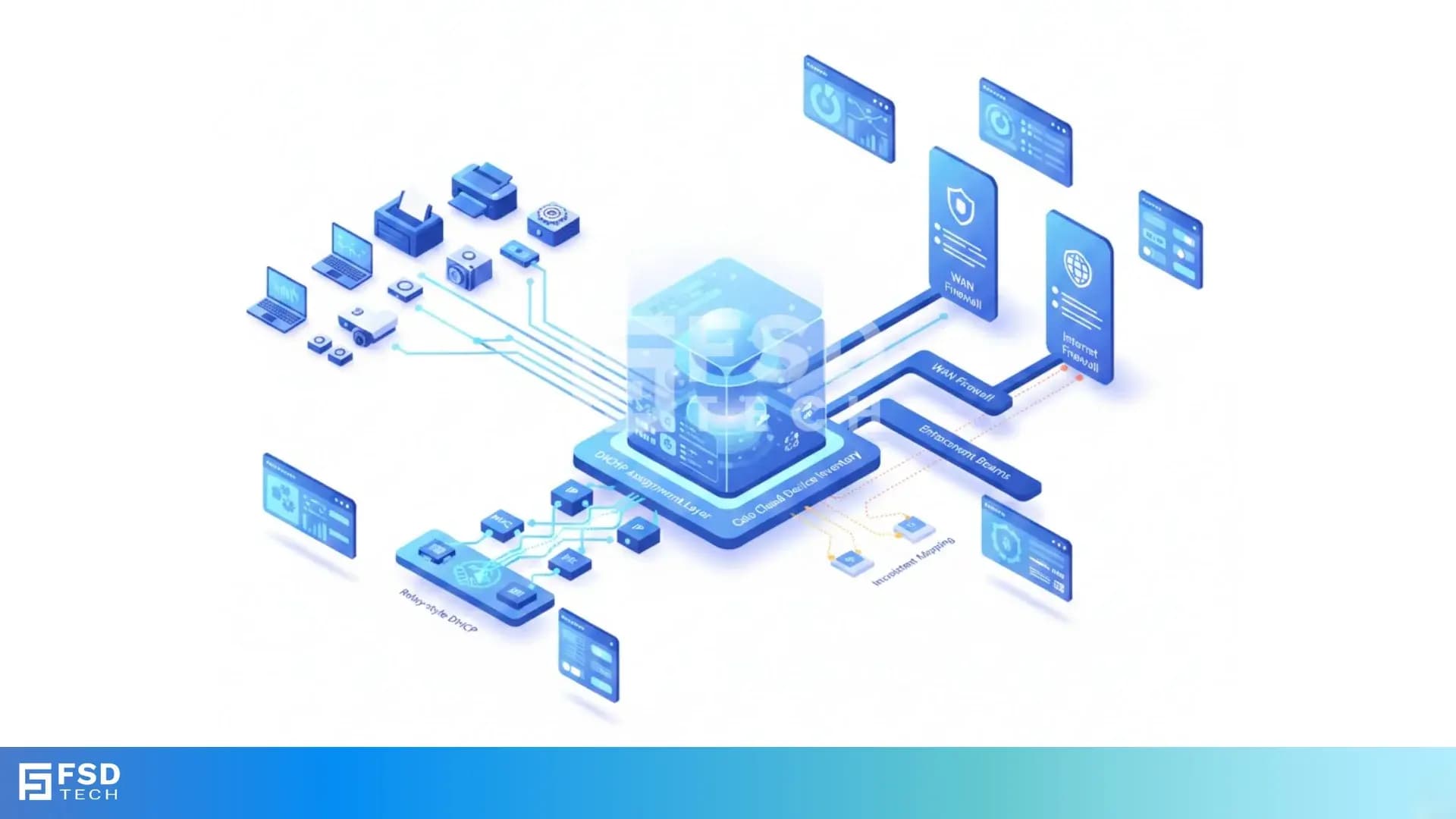
    Isometric diagram showing Cato SASE device inventory analyzing network traffic, DHCP data, and device attributes to support WAN and Internet firewall enforcement and device-aware security policies.

    Understanding Device Identification Limitations in Cato Device Inventory

    🕓 March 8, 2026

    Isometric diagram showing Cato SASE cloud analyzing network traffic, DHCP data, and MAC address fingerprints to identify devices and enable accurate device-based firewall enforcement.

    Why DHCP Configuration Matters for Device-Based Firewall Enforcement in Cato SASE

    🕓 March 7, 2026

    Decoded(154)

    Cyber Security(127)

    BCP / DR(22)

    Zeta HRMS(78)

    SASE(21)

    Automation(78)

    Next Gen IT-Infra(127)

    Monitoring & Management(77)

    ITSM(22)

    HRMS(21)

    Automation(24)