HomeNext Gen IT-InfraMonitoring & ManagementCyber SecurityBCP / DRAutomationDecoded
Next Gen IT-Infra
Cato’s SASE Supports Cybersecurity Skills Development

How Cato’s SASE Supports Cybersecurity Skills Development

🕓 April 8, 2025

How SASE Supports the Security Needs of SMBs

How SASE Supports the Security Needs of SMBs

🕓 February 9, 2025

Attack Surface Reduction with Cato’s SASE

Attack Surface Reduction with Cato’s SASE

🕓 February 10, 2025

SASE for Digital Transformation in UAE

SASE for Digital Transformation in UAE

🕓 February 8, 2025

Monitoring & Management
Understanding Atera’s SLA Management

Understanding Atera’s SLA Management

🕓 February 7, 2025

Cost-Performance Ratio: Finding the Right Balance in IT Management Networks

Cost-Performance Ratio: Finding the Right Balance in IT Management Networks

🕓 June 16, 2025

Customizing Atera with APIs

Customizing Atera with APIs

🕓 March 3, 2025

Power Up Your IT Team’s Strategy with Atera’s Communication Tools

Power Up Your IT Team’s Strategy with Atera’s Communication Tools

🕓 February 8, 2025

Cyber Security
Visual guide showing Cato CMA interface for configuring Internet and WAN firewall rules, enabling threat protection, and monitoring security events in real time for UAE IT teams.

Enforcing Firewall and Threat Protection Policies in Cato

🕓 July 25, 2025

Isometric illustration of professionals managing network performance, bandwidth analytics, and cloud-based optimization around the Cato Networks platform, symbolizing bandwidth control and QoS visibility.

Mastering Bandwidth Control and QoS in Cato Networks

🕓 July 26, 2025

Illustration of the Cato Cloud architecture showing its role in delivering SASE for secure, optimized global connectivity.

Understanding the Cato Cloud and Its Role in SASE

🕓 January 29, 2025

Global network backbone powering Cato SASE solution for secure, high-performance connectivity across regions.

Global Backbone: The Engine Powering Cato’s SASE Solution

🕓 January 30, 2025

BCP / DR
Illustration showing diverse business and IT professionals collaborating with cloud, backup, and security icons, representing Vembu use cases for SMBs, MSPs, and IT teams.

Who Uses Vembu? Real-World Use Cases for SMBs, MSPs & IT Teams

🕓 July 12, 2025

Graphic showcasing Vembu’s all-in-one backup and disaster recovery platform with icons for cloud, data protection, and business continuity for IT teams and SMBs.

What Is Vembu? A Deep Dive Into the All in One Backup & Disaster Recovery Platform

🕓 July 6, 2025

Illustration showing Vembu backup and disaster recovery system with cloud storage, server racks, analytics dashboard, and IT professionals managing data.

The Rising Cost of Data Loss: Why Backup Is No Longer Optional?

🕓 August 14, 2025

3D isometric illustration of cloud backup and data recovery infrastructure with laptop, data center stack, and digital business icons — FSD Tech

RPO & RTO: The Heart of Business Continuity

🕓 August 15, 2025

Automation
Cross-Functional Collaboration with ClickUp

Fostering Cross-Functional Collaboration with ClickUp for Multi-Departmental Projects

🕓 February 11, 2025

ClickUp Project Reporting

Revolutionizing Enterprise Reporting with ClickUp’s Advanced Analytics and Dashboards

🕓 June 16, 2025

ClickUp’s Design Collaboration and Asset Management Tools

Empowering Creative Teams with ClickUp’s Design Collaboration and Asset Management Tools

🕓 February 26, 2025

ClickUp Communication and Collaboration Tools

ClickUp Communication and Collaboration Tools: Empowering Remote Teams

🕓 March 12, 2025

Decoded
Multi-Factor Authentication (MFA)

Multi-Factor Authentication (MFA): All You Need to Know

🕓 December 7, 2025

L3 Switch

What Is an L3 Switch? L2 vs L3 & Why You Need Layer 3?

🕓 December 8, 2025

IPSec

IPSec Explained: Protocols, Modes, IKE & VPN Security

🕓 December 3, 2025

 Datagram Transport Layer Security (DTLS)

What is Datagram Transport Layer Security (DTLS)? How it works?

🕓 December 4, 2025

    Subscribe to our newsletter!

    About Us

    Follow Us

    Copyright © 2024 | Powered by 

    Cato SASE Architecture

    Inside Cato’s SASE Architecture: A Blueprint for Modern Security

    🕓 January 26, 2025

    Enterprise Data Security and Privacy with ClickUp

    Ensuring Enterprise Data Security and Privacy with ClickUp

    🕓 February 9, 2025

    DDoS protection SASE

    DDoS Protection and Cato’s Defence Mechanisms

    🕓 February 11, 2025

    Table of Contents

    Device Inventory Drill-Down Enhancements in Cato SASE: Deeper Visibility, Smarter Troubleshooting

    Anas Abdu Rauf
    September 29, 2025
    Comments
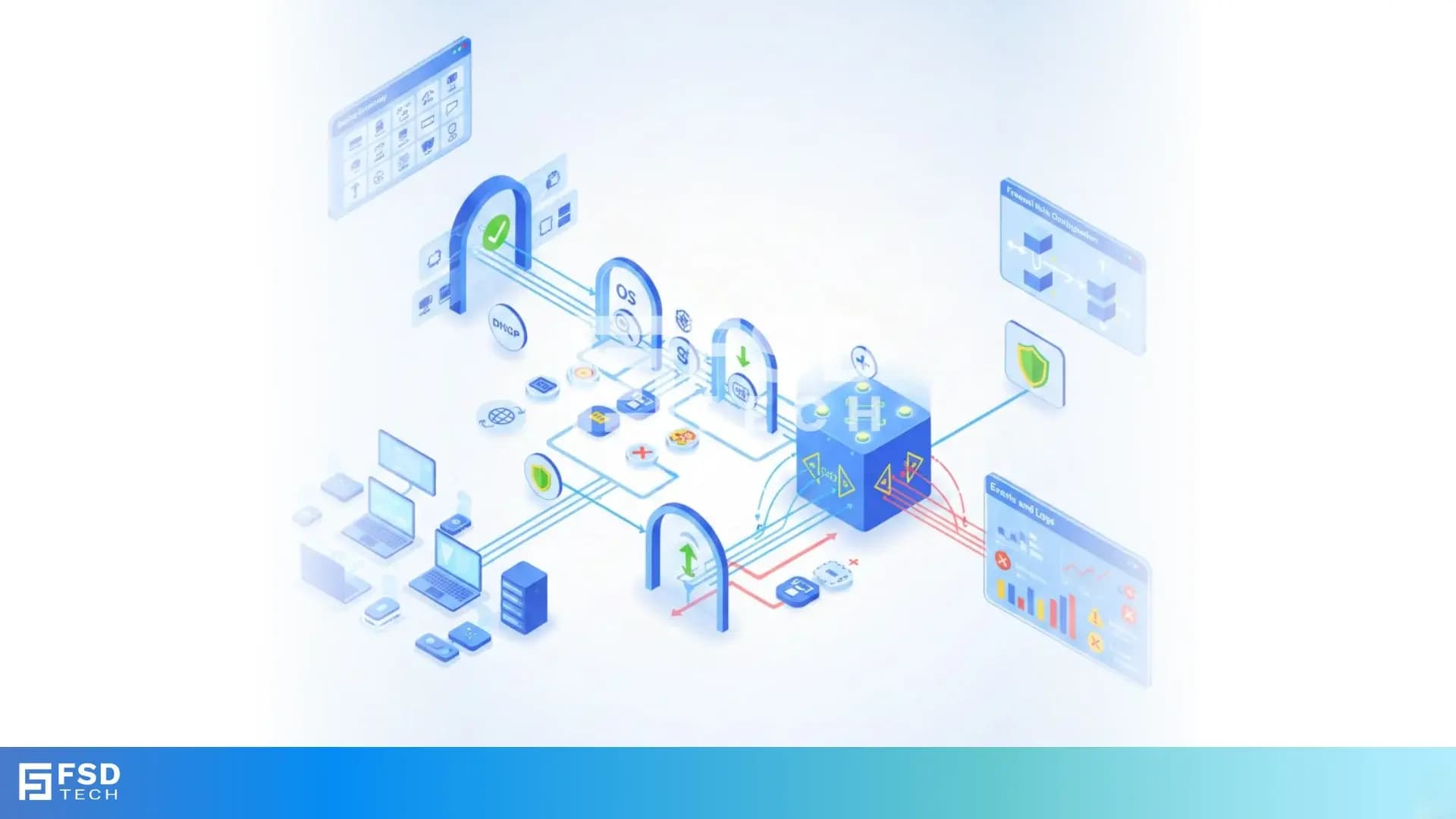
    Illustration of Cato Networks Device Inventory dashboard showing connected devices, real-time visibility, compliance tracking, and network security monitoring

    Introduction

    Cato has introduced a recent update to its Device Inventory feature, adding new drill-down views and per-device connectivity insights. These enhancements allow administrators to monitor usage, troubleshoot issues, and strengthen security with greater precision. By extending the visibility of device attributes, applications, and domains, the update makes Device Inventory a more powerful tool for daily operations and long-term policy management.


    What Device Inventory Is and Why This Update Matters

    Device Inventory is part of Cato’s IoT/OT Security service. It passively analyzes WAN-bound and outbound traffic to discover and classify IT, IoT, and OT devices—without agents. This information is presented in the Cato Management Application (CMA) to give administrators a central view of all connected devices.

    The recent update adds deeper drill-down views and device-specific connectivity insights. This builds on existing capabilities such as grouping devices by site, user, manufacturer, or type, and extends the Quick View to show which applications and domains a device is using. The result is a single place where administrators can identify devices, analyze behavior, and tie findings directly into security policies.


    Where to Find the New Enhancements

    You can access Device Inventory under Home > Devices > Inventory in the CMA.

    • Device Inventory Page: Now includes detailed per-device drill-down with connectivity insights, applications, and domains.
    • Device Dashboard: A complementary overview tool showing trends and security events, with clickable widgets that filter straight into Inventory for deeper analysis.

    This seamless integration between dashboard summaries and detailed inventory views provides a faster way to pivot from anomaly detection to root-cause investigation.


    How the Update Improves Daily Operations

    Faster Troubleshooting

    When users report issues, admins can open the affected device entry and immediately see its applications, domains, and connectivity insights. This reduces time spent switching between pages or guessing root causes.

    Stronger Security Hygiene

    Inventory drill-downs reveal if IoT or OT devices are connecting to unusual domains. Combined with dashboard widgets such as Top IoT/OT Services or Devices by Threat, this makes it easier to spot misconfigurations or compromised devices before they cause harm.

    Policy Precision

    Firewall rules in Cato can already use Device Attributes (e.g., Device Type = IP Camera or Manufacturer = Dell). The new insights make those rules smarter by exposing the actual device behavior, helping teams refine allow/deny policies that align with zero-trust principles.


    Device Management Integrations: What They Add

    Cato integrates with systems such as Microsoft Intune, Zoom, and CrowdStrike. These connectors enrich Device Inventory with external metadata—like OS version or managed/unmanaged status—improving asset identification.

    It’s important to note: integrations enhance inventory intelligence but do not provide posture checks. Posture validation is handled separately through Device Posture Profiles and the Cato Client.


    Policy Design with Device Attributes and Posture

    • Device Inventory Attributes (identity): category, type, model, OS, manufacturer, OS version.
    • Device Posture Profiles (security state): compliance checks like anti-malware, disk encryption, firewall.
       

    You can combine both in firewall rules. For example:

    • Allow access only if Device Manufacturer = Dell AND Device Posture = Disk Encryption Enabled.
    • Block all Internet traffic from Device Type = IP Camera.

    This dual approach enforces least-privilege access and strengthens zero-trust alignment.


    Operational Guidance and Known Limitations

    • Licensing: Device Inventory (IoT/OT Security) requires a separate license.
    • Best Practices: Enable TLS Inspection and configure Cato as your DHCP server for more accurate classification and MAC detection.
    • Protocols: Device classification relies on DHCP, HTTP, MAC, TCP/IP, or FTP identifiers; other protocols may yield limited results.
    • Visibility Window: Devices not generating WAN/outbound traffic for three days will not appear in Inventory.
    • Data Consistency: IP reuse or multiple IPs within 24 hours may cause duplicates or merges in device listings.
    • Feature Rollout: New updates are deployed gradually; availability may vary across accounts during activation.


    Advantages at a Glance

    • Deeper per-device visibility with applications, domains, and connectivity insights.
    • Faster troubleshooting through dashboard-to-inventory pivots.
    • Improved security hygiene and IoT/OT anomaly detection.
    • Precision policy design using real-time Device Attributes.
    • Stronger zero-trust enforcement when combined with posture checks.


    Ready to experience the power of Cato SASE Device Inventory firsthand? Schedule a free consultation with our experts today and explore how drill-down enhancements, IoT/OT anomaly detection, and zero-trust policy design can transform your enterprise network security.
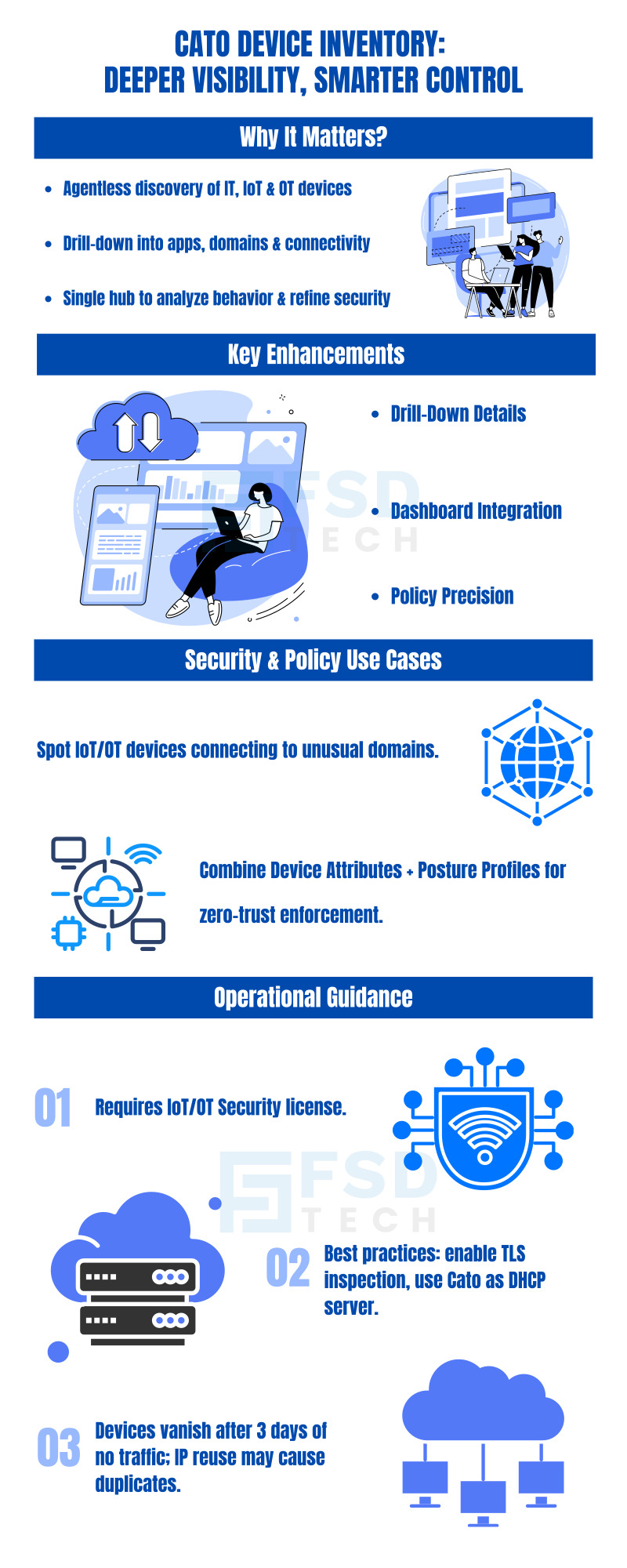
    Cato Networks Device Inventory Drill infographic highlighting enhanced visibility, device management, security compliance, and simplified IT operations.

    FAQs

    What exactly changed in the recent Device Inventory update?

    The update introduced detailed drill-down views that show per-device applications, domains, and connectivity insights. This is designed to help administrators monitor usage, troubleshoot issues, and improve security posture.
     

    Where do I see these new details in the CMA?

    Navigate to Home > Devices > Inventory. Select a device entry to access its Quick View and drill-down details. The update expands this view to include application and domain interactions plus connectivity insights.
     

    Do I need a license for Device Inventory?

    Yes. Device Inventory is part of the IoT/OT Security service and requires a separate license. Only with this license can you view the full inventory and use Device Attributes in firewall rules.
     

    Can I combine Device Inventory conditions with Device Posture checks?

    Yes. Device Attributes (identity) and Device Posture Profiles (security state) can be combined in firewall rules with an AND relationship. This ensures only devices that match both criteria are allowed.
     

    Do third-party integrations support posture validation?

    No. Integrations like Microsoft Intune and Zoom enrich device intelligence in Inventory but do not provide posture checks. Device Posture validation is handled by the Cato Client.
     

    Why do some devices disappear or appear duplicated?

    Devices without WAN/outbound traffic for three days are removed from Inventory. IP reuse or multiple IPs within 24 hours can cause duplicates or merges. DHCP and TLS settings also affect detection accuracy.
     

    What best practices improve Device Inventory accuracy?

    Enable TLS Inspection, configure Cato as the DHCP server (instead of only relaying), and review three-day traffic windows to ensure devices remain visible and accurately classified.


    Device Inventory Drill-Down Enhancements in Cato SASE: Deeper Visibility, Smarter Troubleshooting

    About The Author

    Anas Abdu Rauf

    Anas is an Expert in Network and Security Infrastructure, With over seven years of industry experience, holding certifications Including CCIE- Enterprise, PCNSE, Cato SASE Expert, and Atera Certified Master. Anas provides his valuable insights and expertise to readers.

    Like This Story?

    Share it with friends!

    Subscribe to our newsletter!

    Atera

    (48)

    Cato Networks

    (111)

    ClickUp

    (65)

    FishOS

    (7)

    Miradore

    (21)

    PointGuard AI

    (9)

    Vembu

    (22)

    Xcitium

    (33)

    ZETA HRMS

    (67)

    Workflow Automation(5)

    Workforce Automation(1)

    AI Project Management(1)

    HR Data Automation(1)

    RMM(1)

    IT Workflow Automation(1)

    IT security(2)

    GCC compliance(4)

    Payroll Integration(2)

    IT support automation(3)

    procurement automation(1)

    lost device management(1)

    IT Management(5)

    IoT Security(2)

    Cato XOps(2)

    IT compliance(4)

    Task Automation(1)

    Workflow Management(1)

    OpenStack automation(1)

    Kubernetes lifecycle management(2)

    AI-powered cloud ops(1)

    SMB Security(8)

    Data Security(1)

    MDR (Managed Detection & Response)(4)

    Atera Integrations(2)

    MSP Automation(3)

    XDR Security(2)

    SMB Cyber Protection(1)

    Ransomware Defense(3)

    HR Tech Solutions(1)

    Zero Trust Network Access(3)

    Zero Trust Security(2)

    Endpoint Management(1)

    SaaS Security(1)

    Payroll Automation(5)

    IT Monitoring(2)

    Xcitium EDR SOC(15)

    Ransomware Protection GCC(1)

    M&A IT Integration(1)

    Network Consolidation UAE(1)

    MSSP for SMBs(1)

    FSD-Tech MSSP(25)

    SMB Cybersecurity GCC(1)

    Managed EDR FSD-Tech(1)

    Ransomware Protection(3)

    Antivirus vs EDR(1)

    Cybersecurity GCC(12)

    Endpoint Security(1)

    Endpoint Protection(1)

    Data Breach Costs(1)

    Managed Security Services(2)

    SMB Cybersecurity(8)

    Zero Dwell Containment(31)

    Xcitium EDR(30)

    Cloud Backup(1)

    Hybrid Backup(1)

    Backup & Recovery(1)

    pointguard ai(4)

    disaster recovery myths(1)

    backup myths(1)

    vembu(9)

    SMB data protection(9)

    Vembu BDR Suite(19)

    Disaster Recovery(4)

    DataProtection(1)

    GCCBusiness(1)

    Secure Access Service Edge(4)

    GCC HR software(15)

    Miradore EMM(15)

    Cato SASE(7)

    Cloud Security(8)

    Talent Development(1)

    AI Cybersecurity(12)

    AI Risk Management(1)

    AI Governance(4)

    AI Security(2)

    AI Compliance(2)

    GCC business security(1)

    GCC network integration(1)

    compliance automation(4)

    GCC cybersecurity(2)

    education security(1)

    App management UAE(1)

    BYOD security Dubai(8)

    Miradore EMM Premium+(5)

    HealthcareSecurity(1)

    MiddleEast(1)

    Team Collaboration(1)

    IT automation(10)

    Zscaler(1)

    SD-WAN(6)

    HR Integration(4)

    Cloud Networking(3)

    device management(9)

    RemoteWork(1)

    ZeroTrust(2)

    VPN(1)

    MPLS(1)

    Project Management(9)

    HR automation(16)

    share your thoughts

    Illustration of Zeta HRMS cloud-based HR platform showing integrated payroll automation, biometric attendance, mobile self-service, predictive workforce analytics, and secure compliance-ready HR workflows designed for UAE organizations.

    HR Tech Trends 2025: How Zeta HRMS Leads UAE’s Digital HR Transformation

    🕓 December 27, 2025

    Illustration of Cato SASE DNS security architecture showing centralized DNS inspection, threat intelligence, and real-time protection across users, devices, branches, and cloud workloads, preventing DNS-based attacks through a unified SASE platform.

    Cato SASE and DNS Security: Preventing and Mitigating DNS-Based Attacks

    🕓 December 26, 2025

    Illustration showing the transition from manual spreadsheets and paper-based HR processes to the Zeta HRMS digital platform. Depicts HR teams moving data into a centralized, automated HR system with modules for payroll, attendance, compliance, and employee management, highlighting improved efficiency and collaboration. FSD Tech branding visible at the bottom.

    Cato SASE Implementation Roadmap 2025: A Step-by-Step Guide

    🕓 December 23, 2025

    Decoded(43)

    Cyber Security(112)

    BCP / DR(22)

    Zeta HRMS(66)

    SASE(21)

    Automation(65)

    Next Gen IT-Infra(111)

    Monitoring & Management(69)

    ITSM(22)

    HRMS(21)

    Automation(24)