HomeNext Gen IT-InfraMonitoring & ManagementCyber SecurityBCP / DRAutomationDecoded
Next Gen IT-Infra
Cato’s SASE Supports Cybersecurity Skills Development

How Cato’s SASE Supports Cybersecurity Skills Development

🕓 April 8, 2025

How SASE Supports the Security Needs of SMBs

How SASE Supports the Security Needs of SMBs

🕓 February 9, 2025

Attack Surface Reduction with Cato’s SASE

Attack Surface Reduction with Cato’s SASE

🕓 February 10, 2025

SASE for Digital Transformation in UAE

SASE for Digital Transformation in UAE

🕓 February 8, 2025

Monitoring & Management
Understanding Atera’s SLA Management

Understanding Atera’s SLA Management

🕓 February 7, 2025

Cost-Performance Ratio: Finding the Right Balance in IT Management Networks

Cost-Performance Ratio: Finding the Right Balance in IT Management Networks

🕓 June 16, 2025

Customizing Atera with APIs

Customizing Atera with APIs

🕓 March 3, 2025

Power Up Your IT Team’s Strategy with Atera’s Communication Tools

Power Up Your IT Team’s Strategy with Atera’s Communication Tools

🕓 February 8, 2025

Cyber Security
Illustration of the Cato Cloud architecture showing its role in delivering SASE for secure, optimized global connectivity.

Understanding the Cato Cloud and Its Role in SASE

🕓 January 29, 2025

Isometric illustration of professionals managing network performance, bandwidth analytics, and cloud-based optimization around the Cato Networks platform, symbolizing bandwidth control and QoS visibility.

Mastering Bandwidth Control and QoS in Cato Networks

🕓 July 26, 2025

Global network backbone powering Cato SASE solution for secure, high-performance connectivity across regions.

Global Backbone: The Engine Powering Cato’s SASE Solution

🕓 January 30, 2025

Illustration of team analyzing application traffic and usage insights on a large laptop screen using Cato’s dashboard, surrounded by network and cloud icons.

Cato Networks Application Visibility | Monitoring & Control

🕓 July 27, 2025

BCP / DR
Illustration showing diverse business and IT professionals collaborating with cloud, backup, and security icons, representing Vembu use cases for SMBs, MSPs, and IT teams.

Who Uses Vembu? Real-World Use Cases for SMBs, MSPs & IT Teams

🕓 July 12, 2025

Graphic showcasing Vembu’s all-in-one backup and disaster recovery platform with icons for cloud, data protection, and business continuity for IT teams and SMBs.

What Is Vembu? A Deep Dive Into the All in One Backup & Disaster Recovery Platform

🕓 July 6, 2025

Illustration showing Vembu backup and disaster recovery system with cloud storage, server racks, analytics dashboard, and IT professionals managing data.

The Rising Cost of Data Loss: Why Backup Is No Longer Optional?

🕓 August 14, 2025

3D isometric illustration of cloud backup and data recovery infrastructure with laptop, data center stack, and digital business icons — FSD Tech

RPO & RTO: The Heart of Business Continuity

🕓 August 15, 2025

Automation
Cross-Functional Collaboration with ClickUp

Fostering Cross-Functional Collaboration with ClickUp for Multi-Departmental Projects

🕓 February 11, 2025

ClickUp Project Reporting

Revolutionizing Enterprise Reporting with ClickUp’s Advanced Analytics and Dashboards

🕓 June 16, 2025

ClickUp’s Design Collaboration and Asset Management Tools

Empowering Creative Teams with ClickUp’s Design Collaboration and Asset Management Tools

🕓 February 26, 2025

ClickUp Communication and Collaboration Tools

ClickUp Communication and Collaboration Tools: Empowering Remote Teams

🕓 March 12, 2025

Decoded
Multi-Factor Authentication (MFA)

Multi-Factor Authentication (MFA): All You Need to Know

🕓 December 7, 2025

L3 Switch

What Is an L3 Switch? L2 vs L3 & Why You Need Layer 3?

🕓 December 8, 2025

xOPs

What is xOPs? Modern Managed SASE Security

🕓 April 8, 2026

Cato Sockets

Cato Sockets Explained: SASE Site Connectivity

🕓 April 8, 2026

    Subscribe to our newsletter!

    About Us

    Follow Us

    Copyright © 2024 | Powered by 

    Atera

    (60)

    Cato Networks

    (131)

    ClickUp

    (78)

    FishOS

    (7)

    Miradore

    (21)

    PointGuard AI

    (9)

    Vembu

    (22)

    Xcitium

    (33)

    ZETA HRMS

    (79)

    Table of Contents

    VLAN Segmentation: The Ultimate Guide to Network Security

    Surbhi Suhane
    April 22, 2026
    Comments
    VLAN Segmentation

    VLAN segmentation isn't just a technical buzzword for IT pros; it's the backbone of a secure and organized office network. If you've ever wondered why the guest Wi-Fi shouldn't see your accounting server, you’re already thinking about virtual local area networks. Here’s the thing: as our digital workspaces grow, the risk of "broadcast storms" or prying eyes grows too. In my experience, most network lags aren't about slow internet—they're about poor traffic management. To be honest, without proper division, your network is like a house without walls; anyone who walks in the front door can see everything in every room.


    Why should you care about a virtual local area network (VLAN) today? Well, picture this: a single compromised laptop in the marketing department spreading a virus to the entire payroll database. It happens more often than we'd like to admit. By using VLAN segmentation, we create digital fences that keep data where it belongs. We’ve all been there, struggling with a sluggish connection while someone else downloads a massive file. Ready to fix that?


    What is VLAN Segmentation?

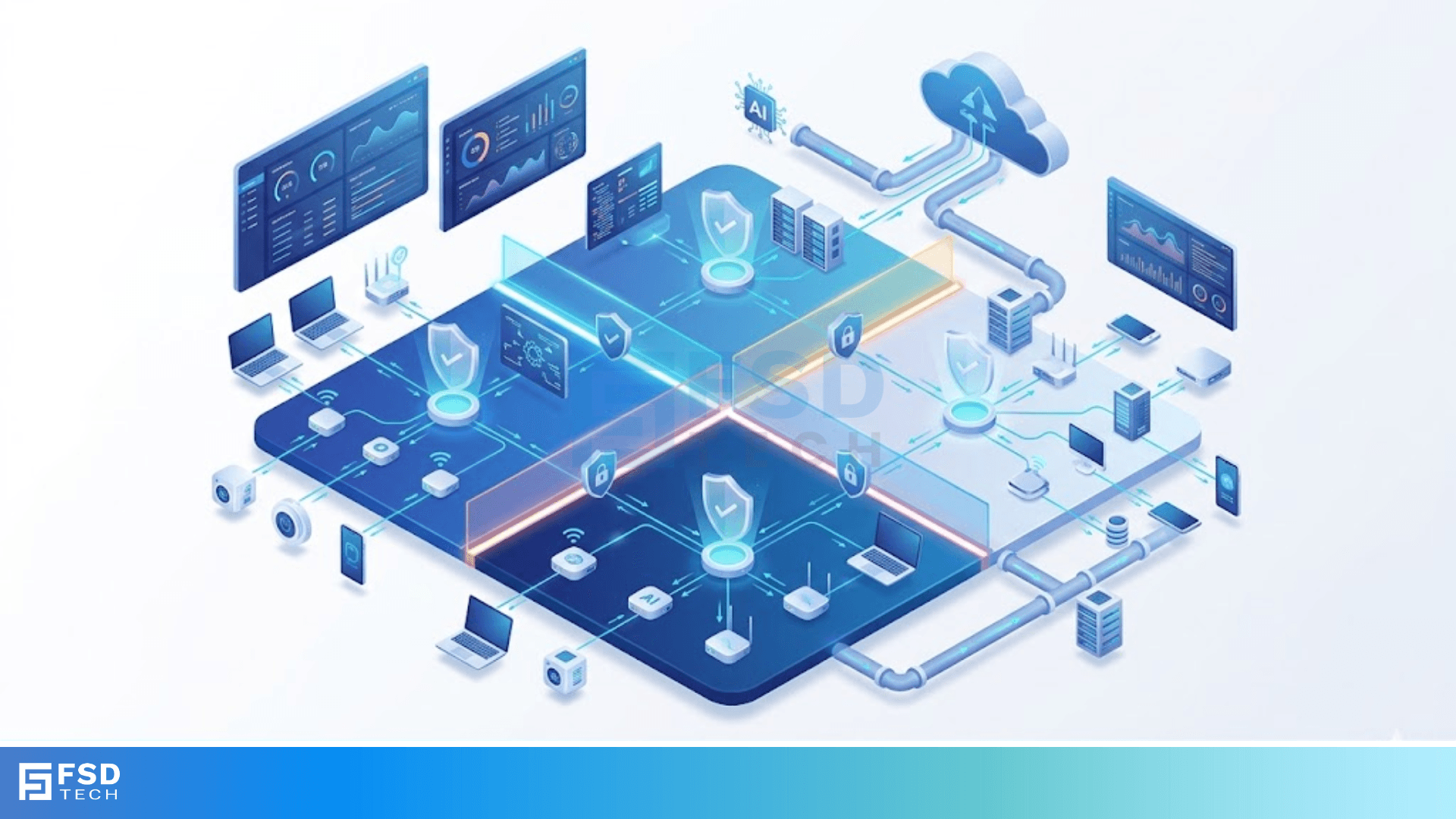
    The term VLAN segmentation refers to the process of dividing a single physical network into multiple, isolated logical networks. Think of it as a large open-plan office. If everyone talks at once, no one hears anything. If you add glass partitions, teams can still work in the same building, but they won't distract each other.


    In a standard setup, every device connected to a switch belongs to the same broadcast domain. This means when one computer sends a "shout-out" to find a printer, every other device hears it. As you add more devices, this noise—or broadcast traffic—slows everything down. By implementing VLAN segmentation, we limit that noise to specific groups.


    Secure My Network Now


    How VLAN Segmentation Works?

    Technically, this happens at Layer 2 of the OSI model. When a data packet enters a switch, the switch adds a small "tag" to it. This tag follows the IEEE 802.1Q standard. It tells the network, "Hey, this packet only belongs to the Finance group." If a packet doesn't have the right tag, it can't enter that virtual room.


    Why Your Business Needs VLANs?

    Why do we bother with the extra setup? It comes down to three pillars: security, performance, and cost.


    1. Enhanced Security

    This is the biggest win. If you're running a retail store, you don't want your Point of Sale (POS) system on the same network as the free Wi-Fi used by customers. Segmentation acts as a barrier. Even if a guest’s phone has malware, the "fence" provided by the VLAN keeps that malware away from your credit card data.


    2. Improved Performance

    We’ve already mentioned broadcast storms. In a flat network, every device processes every broadcast packet. That wastes CPU power. When we segment, we reduce the "noise floor." Your VoIP phones will sound clearer because they aren't fighting for bandwidth with a Windows update running on a desktop.


    3. Cost-Effective Scaling

    In the old days, if you wanted two separate networks, you bought two separate switches. That's expensive and messy. With VLAN segmentation, you use the hardware you already have. You can regroup users by their job function rather than where their desk is located.


    Also Read: How the Hidden Node Problem Can Kill Your Wireless Network Speed


    Common Types of VLANs

    Not all segments are created equal. Depending on your needs, you might use several different types.


    • Data VLAN: This is the most common. It carries user-generated traffic like email or web browsing.
    • Voice VLAN: Dedicated to IP phones. It often gets higher priority (Quality of Service) so calls don't drop.
    • Management VLAN: This is a "secret" lane used only by IT staff to configure the switches and routers.
    • Guest VLAN: A sandbox for visitors. They can get to the internet, but they can't touch your internal files.


    Implementing VLAN Segmentation: A Step-by-Step Approach

    Now, let's talk about how we actually do this. In my view, the biggest mistake people make is over-complicating the design from day one. Start simple.


    Step 1: Identify Your Groups

    Don't just create 50 VLANs because you can. Look at your departments. Do you have HR, Finance, and Engineering? Great, those are your first three. Don't forget a separate one for IoT devices like smart lightbulbs or security cameras, which are notoriously insecure.


    Step 2: Assign IDs and Subnets

    Each VLAN needs a unique ID (a number between 1 and 4094). For example:


    • VLAN 10: HR (Subnet 192.168.10.0/24)
    • VLAN 20: Finance (Subnet 192.168.20.0/24)


    Step 3: Configure Ports

    You'll need to decide which port on your switch belongs to which group.


    • Access Ports: These connect to end devices like computers. They belong to exactly one VLAN.
    • Trunk Ports: These are the "highways" between switches. They carry traffic for all VLANs at once using those tags we talked about earlier.


    Step 4: Routing Between VLANs

    Here is the catch: once you segment your network, the groups can't talk to each other at all. What if HR needs to send a file to Finance? You need a "Layer 3" device, like a router or a multilayer switch, to act as a gatekeeper. This is often called "Inter-VLAN Routing" or "Router-on-a-Stick."


    Talk to a Specialist


    Best Practices for a Healthy Network

    Many networks turn into a "VLAN soup" where no one knows what goes where. To avoid this, follow these ground rules:


    1. Change the Default: Never use VLAN 1 for your data. It's the factory default and a prime target for hackers.
    2. Keep it Local: Try to keep your VLANs confined to a single switch where possible to reduce complexity.
    3. Document Everything: If you don't write down which ID belongs to which department, you'll regret it six months from now.
    4. Prune Your Trunks: Only allow the VLANs that actually need to travel between switches. Don't let unnecessary traffic clog your trunk lines.


    The Role of Micro-segmentation

    While VLAN segmentation works at the hardware level, there is a newer kid on the block: micro-segmentation. Roughly speaking, this takes the concept to the extreme. Instead of grouping 20 people in HR together, you create rules for every single device or even every single application.


    This is usually done via software (SDN). If you are running a high-security data center, this is the gold standard. For a medium-sized office, though, traditional VLANs are usually plenty.


    Also Read: How ARP Connects Your IP Address to a Local Network Identity


    Challenges You Might Face

    It’s not all sunshine and rainbows. Here are a few "gotchas" to watch out for:

    • Complexity: Managing 10 subnets is harder than managing one. You'll need to keep track of IP addresses more carefully.
    • Configuration Errors: One wrong click on a trunk port can take down an entire department.
    • Hardware Requirements: Cheaper "unmanaged" switches don't support VLANs. You'll need "managed" gear.


    Conclusion

    At the end of the day, managing a network is about control. Without VLAN segmentation, you’re leaving your data's performance and safety to chance. By logically dividing your traffic, you ensure that the right people get the right bandwidth while keeping threats at bay.


    We believe that every business, no matter the size, deserves a network that is both fast and resilient. Our focus is always on creating solutions that grow with you, ensuring your team stays connected without the headache of constant downtime. If you're ready to lock down your infrastructure, we're here to help you map it out.


    Get a Free Network Audit


    Key Takeaways on VLAN Segmentation

    • VLAN segmentation improves security by isolating sensitive data from general traffic.
    • It boosts network performance by reducing the size of broadcast domains.
    • Logical grouping allows you to organize your network by department, not physical location.
    • You must use a Layer 3 device (router) if you want different segments to communicate.
    • Avoid using "VLAN 1" to stay safe from basic exploits.


    Frequently Asked Questions on VLAN Segmentation

    Can VLANs stop a hacker?

    They won't stop a hacker from entering your network, but they act like locked internal doors. If a hacker gets into your Guest Wi-Fi, they won't automatically have access to your server room.


    How many VLANs should I have?

    There's no magic number. For most small to mid-sized businesses, 5 to 10 is usually the "sweet spot" for manageable security.


    Do I need a special router for VLANs?

    Yes, you need a router that supports 802.1Q tagging or a "Layer 3 switch." Most enterprise-grade gear has this built-in.


    What is the difference between a VLAN and a Subnet?

    A VLAN is a Layer 2 concept (switching), while a subnet is a Layer 3 concept (IP addressing). Usually, we map one subnet to one VLAN to keep things simple.

    VLAN Segmentation: The Ultimate Guide to Network Security

    About The Author

    Surbhi Suhane

    Surbhi Suhane is an experienced digital marketing and content specialist with deep expertise in Getting Things Done (GTD) methodology and process automation. Adept at optimizing workflows and leveraging automation tools to enhance productivity and deliver impactful results in content creation and SEO optimization.

    TRY OUR PRODUCTS

    Like This Story?

    Share it with friends!

    Subscribe to our newsletter!

    FishOSCato SASEVembuXcitiumZeta HRMSAtera
    Isometric illustration of a centralized performance platform connected to analytics dashboards and team members, representing goal alignment, measurable outcomes, risk visibility, and strategic project tracking within ClickUp.

    How ClickUp Enables Outcome-Based Project Management (Not Just Task Tracking)

    🕓 February 15, 2026
    Isometric illustration of a centralized executive dashboard platform connected to analytics panels, performance charts, security indicators, and strategic milestones, representing real-time business visibility and decision control within ClickUp.

    Executive Visibility in ClickUp – How CXOs Gain Real-Time Control Without Micromanaging

    🕓 February 13, 2026

    Cato SASE Architecture

    Inside Cato’s SASE Architecture: A Blueprint for Modern Security

    🕓 January 26, 2025

    Workflow Automation(8)

    Workforce Automation(1)

    AI Project Management(1)

    HR Data Automation(1)

    RMM(2)

    Firewall Security(1)

    IT Workflow Automation(1)

    GCC compliance(4)

    IT security(2)

    Payroll Integration(2)

    IT support automation(3)

    procurement automation(1)

    lost device management(1)

    IT Management(5)

    IoT Security(3)

    Cato XOps(1)

    IT compliance(5)

    Task Automation(1)

    Workflow Management(1)

    AI-powered cloud ops(1)

    OpenStack automation(1)

    Kubernetes lifecycle management(2)

    SMB Security(8)

    Data Security(1)

    MDR (Managed Detection & Response)(3)

    Atera Integrations(2)

    MSP Automation(3)

    Threat Detection & Response(1)

    XDR Security(2)

    Ransomware Defense(3)

    SMB Cyber Protection(1)

    HR Tech Solutions(1)

    Zero Trust Network Access(3)

    Quantum Threat UAE & GCC(1)

    Post-Quantum Cryptography(1)

    Quantum Security(1)

    Zero Trust Security(2)

    Cloud IDE Security(1)

    Endpoint Management(1)

    SaaS Security(2)

    Payroll Automation(5)

    IT Monitoring(2)

    Xcitium EDR SOC(15)

    Ransomware Protection GCC(1)

    Network Consolidation UAE(1)

    M&A IT Integration(1)

    MSSP for SMBs(1)

    Ransomware Protection(3)

    FSD-Tech MSSP(25)

    Managed EDR FSD-Tech(1)

    Antivirus vs EDR(1)

    SMB Cybersecurity GCC(1)

    Cybersecurity GCC(15)

    Endpoint Security(1)

    Data Breach Costs(1)

    Endpoint Protection(1)

    Xcitium EDR(30)

    SMB Cybersecurity(8)

    Managed Security Services(2)

    Zero Dwell Containment(31)

    Hybrid Backup(1)

    Cloud Backup(1)

    Backup & Recovery(1)

    pointguard ai(4)

    vembu(9)

    disaster recovery myths(1)

    SMB data protection(9)

    backup myths(1)

    Disaster Recovery(4)

    Vembu BDR Suite(19)

    GCCBusiness(1)

    DataProtection(1)

    Unified Network Management(1)

    Secure Access Service Edge(4)

    GCC IT Solutions(1)

    GCC HR software(20)

    open banking(1)

    CC compliance(1)

    financial cybersecurity(2)

    Miradore EMM(15)

    Government Security(1)

    Cato SASE(9)

    Cloud Security(9)

    Hybrid Learning(1)

    GCC Education(1)

    Talent Development(1)

    AI Governance(4)

    AI Compliance(2)

    AI Cybersecurity(13)

    AI Security(2)

    AI Risk Management(1)

    Secure Remote Access(1)

    GCC business security(1)

    GCC network integration(1)

    compliance automation(5)

    education security(1)

    GCC cybersecurity(3)

    BYOD security Dubai(8)

    App management UAE(1)

    Miradore EMM Premium+(5)

    share your thoughts

    Bus Topology Failures

    Why Bus Topology Failures Happen in Local Networks?

    🕓 April 22, 2026

    VLAN Segmentation

    VLAN Segmentation: The Ultimate Guide to Network Security

    🕓 April 22, 2026

    MAC Address Filtering

    Is MAC Address Filtering Still Relevant for Your Network Security?

    🕓 April 21, 2026

    Decoded(218)

    Cyber Security(128)

    BCP / DR(22)

    Zeta HRMS(78)

    SASE(21)

    Automation(78)

    Next Gen IT-Infra(128)

    Monitoring & Management(81)

    ITSM(22)

    HRMS(21)

    Automation(24)









