.webp&w=3840&q=75)
How ClickUp Enables Outcome-Based Project Management (Not Just Task Tracking)
🕓 February 15, 2026
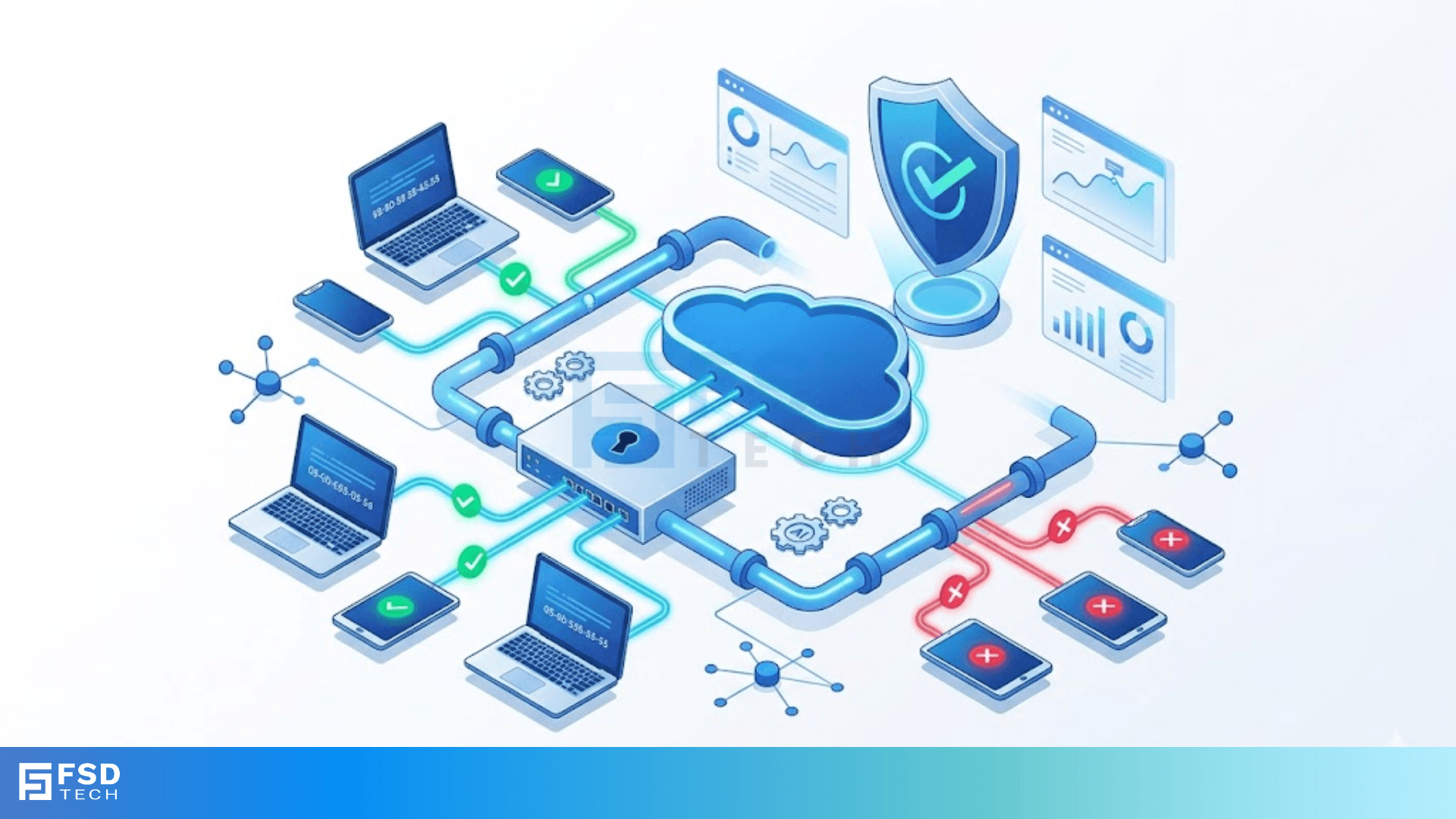
MAC address filtering acts like a digital guest list for your home or office Wi-Fi. Imagine you’re throwing a private party. You stand at the door with a clipboard, checking names. If a person's name isn’t on that list, they don't get in. In the world of networking, your router uses this method to decide which devices can talk to your internet and which stay out in the cold.
But here’s the thing. While it sounds like a perfect way to lock down your system, the reality is a bit more complex. Have you ever wondered if this old-school trick actually stops hackers, or if it just creates more work for you? We’ve all been there, trying to find that 12-digit code on the back of a smart fridge just to get it online. Today, we’ll look at how this tool works and whether you should rely on it.
Every device you own has a unique fingerprint. This isn't a thumbprint, but a Media Access Control address. Whether it's your laptop, phone, or smart watch, the hardware comes with this permanent ID. MAC address filtering (MAF) tells your router to only allow specific IDs to connect.
Technically, this happens at the "Data Link Layer" of your network. Think of it as the very first gate. Before a device even gets an IP address or starts browsing, the router checks its hardware ID. If the ID is on the "Allow List," the door opens. If it's on the "Deny List," or simply not listed at all, the router drops the connection immediately.
Most people use it because it feels like a physical lock. You aren't just relying on a password that someone could guess. You're saying, "Only this specific piece of metal and plastic can use my data." It's a common feature in Cisco controllers and basic home routers alike.
Setting up MAC address filtering usually starts with a trip to your router's settings. You'll need to gather the MAC addresses for every device you own. These look like a string of letters and numbers, such as 00:1A:2B:3C:4D:5E.
The White List Approach
This is the most secure way to use MAF. You create a list of "trusted" devices. Any device not on this list is blocked. It’s great for a small home with five devices. But, if a friend comes over and wants to use your Wi-Fi, you have to log into your router and manually add them. It’s a bit of a chore, right?
The Black List Approach
Conversely, you can use a black list. This allows everyone except specific devices to connect. This is rarely used for security. Instead, parents often use it to kick a specific gaming console off the internet after bedtime.
Also Read: Point-to-Point Links: PPP and Dedicated Networks
To be honest, if you think MAC address filtering is a silver bullet, I have some bad news. In my experience working with network security, MAF is more of a "speed bump" than a brick wall.
Here is why: MAC addresses are sent through the air in "plain text." This means anyone with a free piece of software can "sniff" the air and see the MAC addresses of devices already connected to your Wi-Fi.
Once a hacker sees a permitted address, they can perform "spoofing." They tell their computer to pretend it has that exact same ID. Suddenly, your router thinks the hacker’s laptop is actually your iPad.
Expert Note: MAC address filtering does not encrypt your data. It only checks the ID at the door. If you don't have a strong WPA3 password, your network is still wide open to anyone who knows how to change a few settings on their laptop.
In bigger companies, we use something called MAC Authentication Bypass. This is a Cisco-style feature often used for devices that can't "talk" to a security server—like printers or old building cameras.
When a device plugs into a switch, the switch asks, "Who are you?" If the device is too "dumb" to answer with a username and password, the switch uses its MAC address as the username. It's a handy way to manage thousands of devices without touching each one. However, it carries the same risks. If someone steals a printer's MAC address, they might get onto the corporate network.
| Feature | The Good | The Bad |
|---|---|---|
| Setup | Easy to find in most router menus. | Very time-consuming for many devices. |
| Control | You know exactly what is on your network. | Easy for hackers to bypass via spoofing. |
| Cost | It’s a free feature on almost every device. | Creates a false sense of security. |
| Compatibility | Works on every Wi-Fi device ever made. | Privacy features (MAC randomization) break it. |
Here is a curveball: modern iPhones and Androids now use "Private Wi-Fi Addresses." This means your phone changes its MAC address every time it connects to a different network. It does this to stop companies from tracking you as you move through a mall or airport.
If you use MAC address filtering at home, this privacy feature will actually lock you out of your own Wi-Fi! You’ll have to go into your phone settings and turn off "Private Address" for your home network. It’s another layer of frustration that makes MAF less popular today.
Also Read: Physical Layer Signaling: How Data Moves in Networking
If MAC address filtering isn't enough, what should you use? In my view, you should focus on these three things instead:
At the end of the day, MAC address filtering is a classic tool that still has a small place in a "defense-in-depth" strategy. It gives you a clear view of who is supposed to be on your network. However, we must realize its limits. In a world where devices change their IDs for privacy and hackers can swap IDs in seconds, we can't rely on a simple guest list anymore.
At our core, we believe in building networks that are both secure and simple to use. We focus on putting the client's needs first, ensuring your data stays private without making your life a headache. Whether you are a small business or a home user, your security is our priority.
No, it doesn't. The check happens in milliseconds when you first connect. After that, the router doesn't keep checking every second.
If you have a very strong password (WPA2 or WPA3), you don't really need it. It often causes more connection headaches than it's worth.
Usually, no. They need to see your device communicating with a router to "catch" the address in the air.
Yes, it can be more effective on wired networks because a hacker would need physical access to your building to plug into the wall and spoof an address.

Surbhi Suhane is an experienced digital marketing and content specialist with deep expertise in Getting Things Done (GTD) methodology and process automation. Adept at optimizing workflows and leveraging automation tools to enhance productivity and deliver impactful results in content creation and SEO optimization.
Share it with friends!




.webp&w=3840&q=75)






share your thoughts