HomeManaged ServicesNext Gen IT-InfraMonitoring & ManagementCyber SecurityBCP / DRAutomation
Managed Services
msp-dubai-accounting-firms-managed-it

Why accounting firms in Dubai need an MSP before they think they do?

🕓 April 24, 2026

How FSD-Tech Deploys Xcitium Managed Security in the GCC

How FSD-Tech Deploys Xcitium Managed Security in the GCC

🕓 May 11, 2026

Next Gen IT-Infra
Cato’s SASE Supports Cybersecurity Skills Development

How Cato’s SASE Supports Cybersecurity Skills Development

🕓 April 8, 2025

How SASE Supports the Security Needs of SMBs

How SASE Supports the Security Needs of SMBs

🕓 February 9, 2025

Attack Surface Reduction with Cato’s SASE

Attack Surface Reduction with Cato’s SASE

🕓 February 10, 2025

SASE for Digital Transformation in UAE

SASE for Digital Transformation in UAE

🕓 February 8, 2025

Monitoring & Management
Cost-Performance Ratio: Finding the Right Balance in IT Management Networks

Cost-Performance Ratio: Finding the Right Balance in IT Management Networks

🕓 June 16, 2025

Atera’s Communication Tools

Atera’s Communication Tools: Boosting IT Team Productivity in the UAE

🕓 February 8, 2025

Emerging Trends in IT Management

Emerging Trends in IT Management

🕓 February 10, 2025

Atera Disaster Recovery

Atera Disaster Recovery: Top Strategies for UAE IT Teams

🕓 February 9, 2025

Cyber Security
Illustration of the Cato Cloud architecture showing its role in delivering SASE for secure, optimized global connectivity.

Understanding the Cato Cloud and Its Role in SASE

🕓 January 29, 2025

Isometric illustration of professionals managing network performance, bandwidth analytics, and cloud-based optimization around the Cato Networks platform, symbolizing bandwidth control and QoS visibility.

Mastering Bandwidth Control and QoS in Cato Networks

🕓 July 26, 2025

Global network backbone powering Cato SASE solution for secure, high-performance connectivity across regions.

Global Backbone: The Engine Powering Cato’s SASE Solution

🕓 January 30, 2025

Illustration of team analyzing application traffic and usage insights on a large laptop screen using Cato’s dashboard, surrounded by network and cloud icons.

Cato Networks Application Visibility | Monitoring & Control

🕓 July 27, 2025

BCP / DR
Illustration showing diverse business and IT professionals collaborating with cloud, backup, and security icons, representing Vembu use cases for SMBs, MSPs, and IT teams.

Who Uses Vembu? Real-World Use Cases for SMBs, MSPs & IT Teams

🕓 July 12, 2025

Graphic showcasing Vembu’s all-in-one backup and disaster recovery platform with icons for cloud, data protection, and business continuity for IT teams and SMBs.

What Is Vembu? A Deep Dive Into the All in One Backup & Disaster Recovery Platform

🕓 July 6, 2025

Illustration showing Vembu backup and disaster recovery system with cloud storage, server racks, analytics dashboard, and IT professionals managing data.

The Rising Cost of Data Loss: Why Backup Is No Longer Optional?

🕓 August 14, 2025

3D isometric illustration of cloud backup and data recovery infrastructure with laptop, data center stack, and digital business icons — FSD Tech

RPO & RTO: The Heart of Business Continuity

🕓 August 15, 2025

Automation
Cross-Functional Collaboration with ClickUp

Fostering Cross-Functional Collaboration with ClickUp for Multi-Departmental Projects

🕓 February 11, 2025

ClickUp Project Reporting

Revolutionizing Enterprise Reporting with ClickUp’s Advanced Analytics and Dashboards

🕓 June 16, 2025

ClickUp’s Design Collaboration and Asset Management Tools

Empowering Creative Teams with ClickUp’s Design Collaboration and Asset Management Tools

🕓 February 26, 2025

ClickUp Communication and Collaboration Tools

ClickUp Communication and Collaboration Tools: Empowering Remote Teams

🕓 March 12, 2025

    Subscribe to our newsletter!

    About Us

    Follow Us

    Copyright © 2024 | Powered by 

    Atera

    (60)

    Cato Networks

    (131)

    ClickUp

    (78)

    FishOS

    (7)

    Miradore

    (21)

    PointGuard AI

    (9)

    Vembu

    (24)

    Xcitium

    (35)

    ZETA HRMS

    (79)

    Table of Contents

    What is EtherChannel LACP? Guide to Link Aggregation

    Surbhi Suhane
    May 5, 2026
    Comments
    Zigbee Mesh IoT

    EtherChannel LACP is the secret sauce that keeps modern enterprise networks from hitting a digital traffic jam. Have you ever wondered how big companies handle massive amounts of data without their switches breaking a sweat? To be honest, we’ve all been there—staring at a network map and realizing a single 1Gbps link just won't cut it anymore.


    Instead of buying expensive 10Gbps hardware every time traffic spikes, we use a trick called link aggregation. It's a way to bundle multiple physical cables into one giant logical road. In this guide, we'll look at the Link Aggregation Control Protocol (LACP), which is the industry standard for making this happen.


    Why should you care? Because without a protocol like LACP, your network is prone to loops, errors, and wasted bandwidth. Stick around, and I'll show you exactly how this tech works under the hood.


    What is EtherChannel LACP?

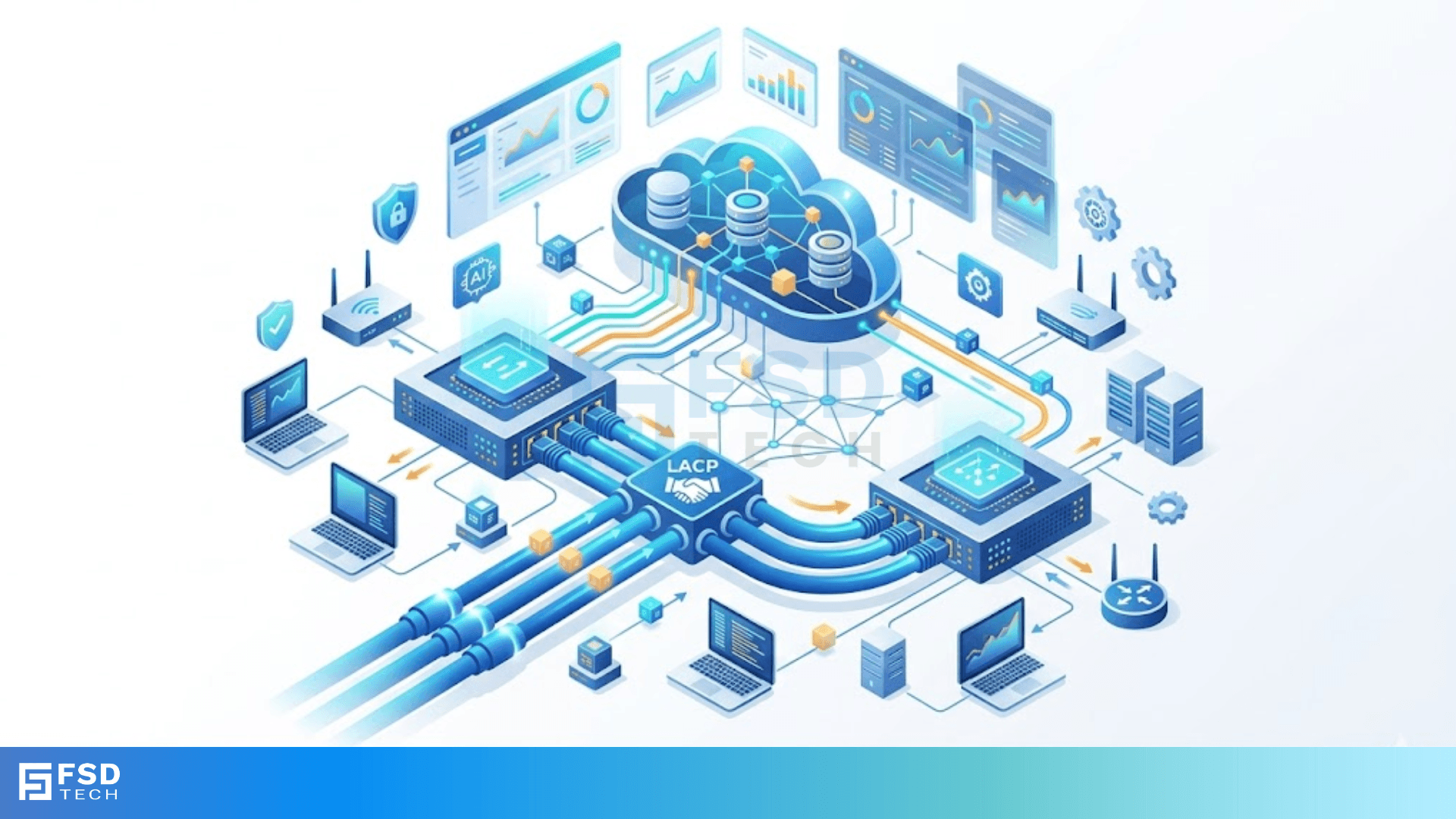
    At its core, EtherChannel LACP is an IEEE 802.3ad standard that allows a switch to negotiate a bundle of links automatically. Think of it as a smart handshake between two networking devices. They talk to each other, confirm they are ready, and then join forces to move data faster.


    In my experience, using a manual "On" mode for bundling is a recipe for disaster. If a cable goes bad but the port stays "up," your data disappears into a black hole. LACP prevents this by sending small packets, called Link Aggregation Control Protocol Data Units (LACPDUs), to check the health of the connection.


    Get a Network Audit


    How Does the LACP Bundle Work?

    The EtherChannel LACP process groups up to 16 physical ports, though only 8 can be active at one time in most setups. The other 8 sit in a "hot standby" mode, ready to jump in if a primary link fails.

    Here is the cool part: the switch treats the whole bundle as a single interface. This means Spanning Tree Protocol (STP) only sees one link. Have you ever seen STP block a redundant port? That’s usually a good thing, but it wastes bandwidth. With an EtherChannel, we get redundancy and speed at the same time.


    Why You Need EtherChannel LACP in Your Network?

    Why not just plug in more cables and call it a day? Well, networking isn't that simple. If you connect two switches with three cables, STP will shut two of them down to prevent loops. You’re left with the speed of one cable while the others sit idle.


    EtherChannel LACP solves this by:


    1. Increasing Bandwidth: You get the sum of all links in the bundle.
    2. Load Balancing: Traffic spreads across all available paths.
    3. Redundancy: If one cable is unplugged, the others carry the load instantly.
    4. Cost Efficiency: You can use existing ports to get higher speeds without new modules.


    Also Read: NIC Duplex Modes: Guide to Half vs Full Duplex


    LACP Modes: Active vs. Passive

    When we talk about EtherChannel LACP, we have to talk about how the switches start the conversation. There are two main modes you need to know: Active and Passive.


    • Active Mode: The switch starts the "handshake" by sending LACP packets. It’s the extrovert of the networking world.
    • Passive Mode: The switch waits for the other side to speak first. It won't start the bundle on its own.


    To make a bundle work, at least one side must be in Active mode. If both sides are Passive, they'll just stare at each other, and the bundle will never form. In my view, it’s always best to set both sides to Active to avoid any configuration headaches later.


    Comparison Table: LACP vs. PAgP

    FeatureLACPPAgP
    StandardIEEE 802.3ad (Open)Cisco Proprietary
    Active ModeLACP ActivePAgP Desirable
    Passive ModeLACP PassivePAgP Auto
    Max Active Links88
    Vendor SupportAny VendorCisco Only


    How EtherChannel LACP Handles Load Balancing

    One common myth is that a 4-port bundle of 1Gbps links creates a single 4Gbps "pipe." That’s not quite right. It’s more like a four-lane highway. A single car (or data flow) can only be in one lane at a time.

    The switch uses a hash algorithm to decide which physical link a packet takes. It can look at:


    • Source IP or Destination IP
    • Source MAC or Destination MAC
    • TCP/UDP Port numbers


    If you're moving data between just two servers, the traffic might only use one link in the bundle. But in a busy office with hundreds of users, the EtherChannel LACP algorithm spreads everyone out beautifully.


    Also Read: Telnet Clear-Text Risks: Why Plain Text Protocols Threaten Your Security


    Step-by-Step Configuration Guide

    Configuring EtherChannel LACP on a Cisco switch is pretty straightforward. Let’s say we want to bundle ports GigabitEthernet 0/1 and 0/2.


    Step 1: Enter Configuration Mode

    Switch# configure terminal


    Step 2: Select the Interfaces

    Switch(config)# interface range g0/1 - 2


    Step 3: Assign the Protocol

    Switch(config-if-range)# channel-protocol lacp


    Step 4: Create the Group and Set Mode

    Switch(config-if-range)# channel-group 1 mode active

    That’s it! Now the switch creates a "Port-Channel 1" interface. Any changes you make to that virtual interface will apply to both physical ports. It's clean, efficient, and professional.


    Common Pitfalls and Troubleshooting

    Even experts mess up EtherChannel LACP setups sometimes. Usually, it's a "mismatched" setting. For a bundle to form, both sides must agree on:


    • Speed and Duplex: They must be identical.
    • VLANs: Both sides must be in the same access VLAN or have the same Trunk settings.
    • STP Settings: Spanning tree must see them the same way.


    If your bundle isn't coming up, use the command show etherchannel summary. If you see a "D" next to the ports, they are down. If you see an "I", they are stand-alone. You want to see a "P," which means they are bundled in the port-channel.


    The Future of Link Aggregation

    As we move toward faster data centers, EtherChannel LACP remains a foundational skill. While newer technologies like Multi-Chassis EtherChannel (MEC) or Virtual Port Channels (vPC) allow us to bundle links across different physical switches, the core LACP logic stays the same.


    In my experience, mastering these basics is what separates a junior admin from a senior engineer. Do you feel ready to lab this out?


    Conclusion

    At the end of the day, EtherChannel LACP is about making your network more resilient and faster without spending a fortune on new gear. We've seen how it balances traffic, provides a safety net when cables fail, and keeps the configuration simple.


    Our team at FSD-Tech believes in building networks that grow with your business. We focus on reliable, industry-standard solutions that ensure your data always has a clear path forward. Whether you are a small startup or a massive data center, your uptime is our priority.


    Speak to an Expert


    Key Takeaways

    • LACP is an open-standard protocol (IEEE 802.3ad).
    • It provides redundancy and increases total bandwidth.
    • At least one side must be in Active mode to form a bundle.
    • Load balancing is based on hashing, not true per-packet distribution.
    • Always check that speed, duplex, and VLAN settings match on both ends.


    Frequently Asked Questions

    Can I mix 100Mbps and 1Gbps ports in an LACP bundle?

    No, all ports in an EtherChannel LACP bundle must have the same speed and duplex settings. The switch will reject ports that don't match.

    What is the maximum number of ports I can bundle?

    With LACP, you can have up to 16 ports in a group, but only 8 will be active. The other 8 remain as backups.

    Does LACP replace Spanning Tree Protocol?

    Not exactly. It works with STP. By bundling links, STP sees them as one, which prevents it from blocking useful paths.

    What is EtherChannel LACP? Guide to Link Aggregation

    About The Author

    Surbhi Suhane

    Surbhi Suhane is an experienced digital marketing and content specialist with deep expertise in Getting Things Done (GTD) methodology and process automation. Adept at optimizing workflows and leveraging automation tools to enhance productivity and deliver impactful results in content creation and SEO optimization.

    TRY OUR PRODUCTS

    Like This Story?

    Share it with friends!

    Subscribe to our newsletter!

    FishOSCato SASEVembuXcitiumZeta HRMSAtera
    Isometric illustration of a centralized performance platform connected to analytics dashboards and team members, representing goal alignment, measurable outcomes, risk visibility, and strategic project tracking within ClickUp.

    How ClickUp Enables Outcome-Based Project Management (Not Just Task Tracking)

    🕓 February 15, 2026

    Isometric illustration of a centralized executive dashboard platform connected to analytics panels, performance charts, security indicators, and strategic milestones, representing real-time business visibility and decision control within ClickUp.

    Executive Visibility in ClickUp – How CXOs Gain Real-Time Control Without Micromanaging

    🕓 February 13, 2026

    Cato SASE Architecture

    Inside Cato’s SASE Architecture: A Blueprint for Modern Security

    🕓 January 26, 2025

    Workflow Automation(8)

    Workforce Automation(1)

    AI Project Management(1)

    HR Data Automation(1)

    RMM(2)

    Firewall Security(1)

    IT Workflow Automation(1)

    IT security(2)

    GCC compliance(4)

    Payroll Integration(2)

    IT support automation(3)

    procurement automation(1)

    lost device management(1)

    IT Management(5)

    IoT Security(3)

    Cato XOps(1)

    IT compliance(5)

    Task Automation(1)

    Workflow Management(1)

    Kubernetes lifecycle management(2)

    OpenStack automation(1)

    AI-powered cloud ops(1)

    SMB Security(8)

    Data Security(1)

    MDR (Managed Detection & Response)(3)

    Atera Integrations(2)

    MSP Automation(3)

    XDR Security(2)

    Threat Detection & Response(1)

    SMB Cyber Protection(1)

    Ransomware Defense(3)

    HR Tech Solutions(1)

    Zero Trust Network Access(3)

    Post-Quantum Cryptography(1)

    Quantum Threat UAE & GCC(1)

    Quantum Security(1)

    Zero Trust Security(2)

    Cloud IDE Security(1)

    Endpoint Management(1)

    SaaS Security(2)

    Payroll Automation(5)

    IT Monitoring(2)

    Xcitium EDR SOC(15)

    Ransomware Protection GCC(1)

    M&A IT Integration(1)

    Network Consolidation UAE(1)

    MSSP for SMBs(1)

    Antivirus vs EDR(1)

    Managed EDR FSD-Tech(1)

    FSD-Tech MSSP(25)

    Ransomware Protection(3)

    SMB Cybersecurity GCC(1)

    Endpoint Security(1)

    Cybersecurity GCC(15)

    Data Breach Costs(1)

    Endpoint Protection(1)

    SMB Cybersecurity(8)

    Managed Security Services(2)

    Xcitium EDR(30)

    Zero Dwell Containment(31)

    Hybrid Backup(1)

    Cloud Backup(1)

    Backup & Recovery(1)

    pointguard ai(4)

    vembu(9)

    disaster recovery myths(1)

    SMB data protection(9)

    backup myths(1)

    Disaster Recovery(4)

    Vembu BDR Suite(19)

    GCCBusiness(1)

    DataProtection(1)

    Secure Access Service Edge(4)

    Unified Network Management(1)

    GCC IT Solutions(1)

    GCC HR software(20)

    financial cybersecurity(2)

    open banking(1)

    CC compliance(1)

    Miradore EMM(15)

    Cato SASE(9)

    Government Security(1)

    Cloud Security(9)

    GCC Education(1)

    Hybrid Learning(1)

    Talent Development(1)

    AI Governance(4)

    AI Risk Management(1)

    AI Cybersecurity(13)

    AI Security(2)

    AI Compliance(2)

    Secure Remote Access(1)

    GCC business security(1)

    GCC network integration(1)

    compliance automation(5)

    GCC cybersecurity(3)

    education security(1)

    App management UAE(1)

    Miradore EMM Premium+(5)

    BYOD security Dubai(8)

    share your thoughts

    SLIP Serial Encapsulation

    What is SLIP Serial Encapsulation? How it works?

    🕓 May 9, 2026

    PPP Authentication CHAP

    What is PPP Authentication CHAP? Dive into Secure Networking

    🕓 May 9, 2026

    HDLC Bit-Oriented Framing

    HDLC Bit-Oriented Framing: Guide to Data Link Control

    🕓 May 8, 2026

    Managed Services(2)

    Decoded(245)

    Cyber Security(129)

    BCP / DR(24)

    Zeta HRMS(78)

    SASE(21)

    Automation(80)

    Next Gen IT-Infra(128)

    Monitoring & Management(81)

    ITSM(22)

    HRMS(21)

    Automation(24)