HomeNext Gen IT-InfraMonitoring & ManagementCyber SecurityBCP / DRAutomationDecoded
Next Gen IT-Infra
Cato’s SASE Supports Cybersecurity Skills Development

How Cato’s SASE Supports Cybersecurity Skills Development

🕓 April 8, 2025

How SASE Supports the Security Needs of SMBs

How SASE Supports the Security Needs of SMBs

🕓 February 9, 2025

Attack Surface Reduction with Cato’s SASE

Attack Surface Reduction with Cato’s SASE

🕓 February 10, 2025

SASE for Digital Transformation in UAE

SASE for Digital Transformation in UAE

🕓 February 8, 2025

Monitoring & Management
Understanding Atera’s SLA Management

Understanding Atera’s SLA Management

🕓 February 7, 2025

Cost-Performance Ratio: Finding the Right Balance in IT Management Networks

Cost-Performance Ratio: Finding the Right Balance in IT Management Networks

🕓 June 16, 2025

Customizing Atera with APIs

Customizing Atera with APIs

🕓 March 3, 2025

Power Up Your IT Team’s Strategy with Atera’s Communication Tools

Power Up Your IT Team’s Strategy with Atera’s Communication Tools

🕓 February 8, 2025

Cyber Security
Visual guide showing Cato CMA interface for configuring Internet and WAN firewall rules, enabling threat protection, and monitoring security events in real time for UAE IT teams.

Enforcing Firewall and Threat Protection Policies in Cato

🕓 July 25, 2025

Isometric illustration of professionals managing network performance, bandwidth analytics, and cloud-based optimization around the Cato Networks platform, symbolizing bandwidth control and QoS visibility.

Mastering Bandwidth Control and QoS in Cato Networks

🕓 July 26, 2025

Illustration of the Cato Cloud architecture showing its role in delivering SASE for secure, optimized global connectivity.

Understanding the Cato Cloud and Its Role in SASE

🕓 January 29, 2025

Global network backbone powering Cato SASE solution for secure, high-performance connectivity across regions.

Global Backbone: The Engine Powering Cato’s SASE Solution

🕓 January 30, 2025

BCP / DR
Illustration showing diverse business and IT professionals collaborating with cloud, backup, and security icons, representing Vembu use cases for SMBs, MSPs, and IT teams.

Who Uses Vembu? Real-World Use Cases for SMBs, MSPs & IT Teams

🕓 July 12, 2025

Graphic showcasing Vembu’s all-in-one backup and disaster recovery platform with icons for cloud, data protection, and business continuity for IT teams and SMBs.

What Is Vembu? A Deep Dive Into the All in One Backup & Disaster Recovery Platform

🕓 July 6, 2025

Illustration showing Vembu backup and disaster recovery system with cloud storage, server racks, analytics dashboard, and IT professionals managing data.

The Rising Cost of Data Loss: Why Backup Is No Longer Optional?

🕓 August 14, 2025

3D isometric illustration of cloud backup and data recovery infrastructure with laptop, data center stack, and digital business icons — FSD Tech

RPO & RTO: The Heart of Business Continuity

🕓 August 15, 2025

Automation
Cross-Functional Collaboration with ClickUp

Fostering Cross-Functional Collaboration with ClickUp for Multi-Departmental Projects

🕓 February 11, 2025

ClickUp Project Reporting

Revolutionizing Enterprise Reporting with ClickUp’s Advanced Analytics and Dashboards

🕓 June 16, 2025

ClickUp’s Design Collaboration and Asset Management Tools

Empowering Creative Teams with ClickUp’s Design Collaboration and Asset Management Tools

🕓 February 26, 2025

ClickUp Communication and Collaboration Tools

ClickUp Communication and Collaboration Tools: Empowering Remote Teams

🕓 March 12, 2025

Decoded
Multi-Factor Authentication (MFA)

Multi-Factor Authentication (MFA): All You Need to Know

🕓 December 7, 2025

L3 Switch

What Is an L3 Switch? L2 vs L3 & Why You Need Layer 3?

🕓 December 8, 2025

IPSec

IPSec Explained: Protocols, Modes, IKE & VPN Security

🕓 December 3, 2025

 Datagram Transport Layer Security (DTLS)

What is Datagram Transport Layer Security (DTLS)? How it works?

🕓 December 4, 2025

    Subscribe to our newsletter!

    About Us

    Follow Us

    Copyright © 2024 | Powered by 

    Cato SASE Architecture

    Inside Cato’s SASE Architecture: A Blueprint for Modern Security

    🕓 January 26, 2025

    Enterprise Data Security and Privacy with ClickUp

    Ensuring Enterprise Data Security and Privacy with ClickUp

    🕓 February 9, 2025

    DDoS protection SASE

    DDoS Protection and Cato’s Defence Mechanisms

    🕓 February 11, 2025

    Table of Contents

    EMM vs MDM – What Enterprises Need to Know

    Anas Abdu Rauf
    July 13, 2025
    Comments
    EMM vs MDM – What Enterprises Need to Know

    Introduction

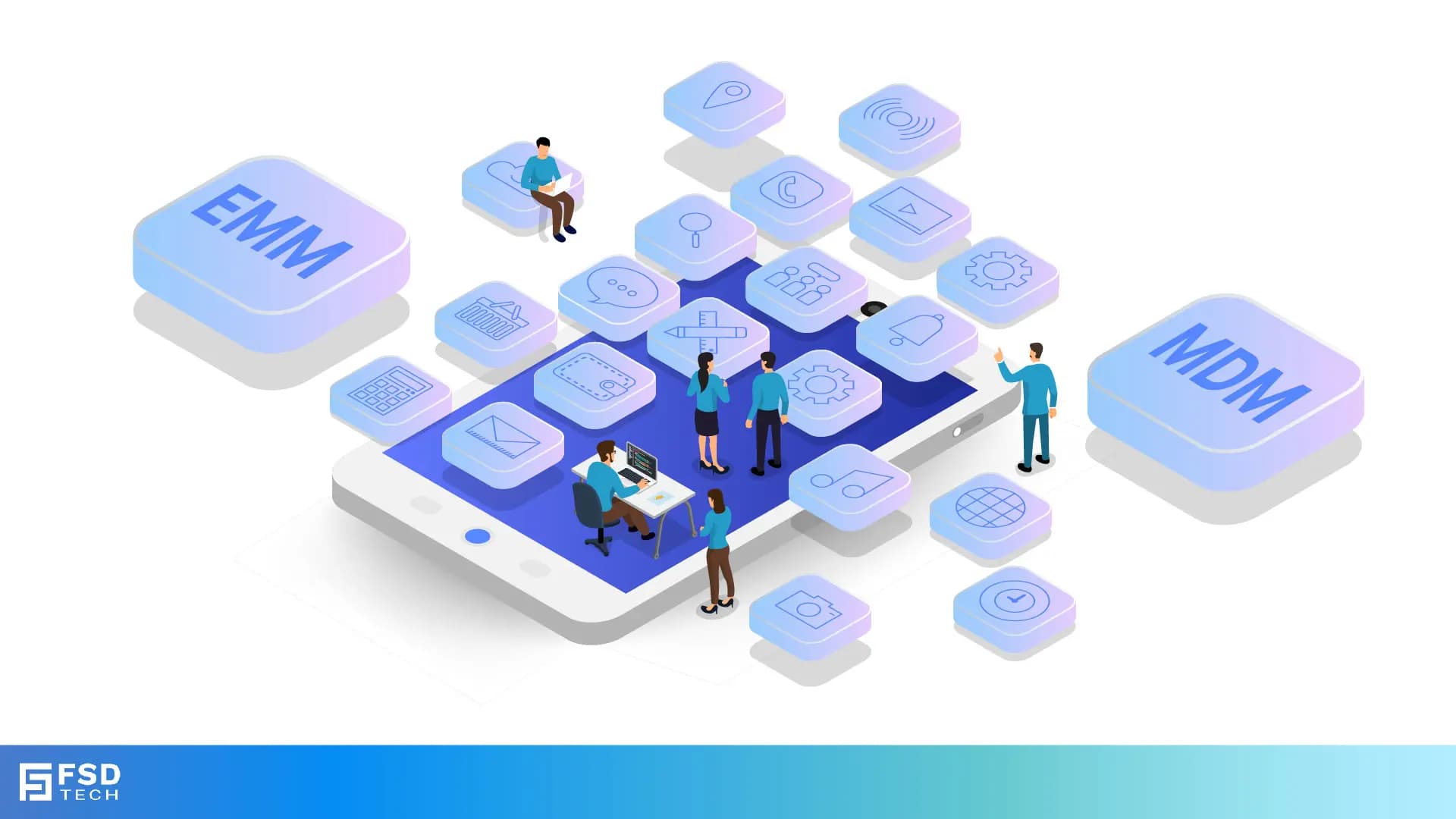
    If you’ve been looking into mobile device management for your company, you’ve probably come across two acronyms that sound very similar but mean different things: MDM (Mobile Device Management) and EMM (Enterprise Mobility Management).
     

    Understanding the difference is important because it affects how you secure devices, manage apps, and support users—especially in complex environments where compliance and flexibility matter.

    In this post, we’ll break down what MDM and EMM each do, why EMM is often the better fit for modern enterprises, and how Miradore’s EMM solution gives you the best of both worlds.


    TL;DR

    • MDM focuses mainly on managing and securing devices themselves
       
    • EMM covers a broader set of tools including apps, data, identity, and policies
       
    • Enterprises with diverse device types, BYOD, or strict compliance needs benefit more from EMM
       
    • Miradore offers full EMM capabilities with easy setup and cloud management


    What Is MDM?

    Mobile Device Management (MDM) is about controlling the devices themselves. Think of it as the basics: enrolling devices, pushing settings, enforcing passwords, and remotely wiping lost phones.


    MDM tools help IT teams:
     

    • Enroll devices into the system
    • Configure device settings like Wi-Fi and VPN
    • Track device location
    • Enforce security policies like PINs or encryption 
    • Lock or wipe devices if lost or stolen
       

    However, MDM usually doesn’t cover managing the apps users install, separating personal and work data, or handling identity and access control in detail.


    What Is EMM?

    Enterprise Mobility Management (EMM) includes all MDM features but adds much more to help manage the whole mobile environment.

    EMM tools also manage:
     

    • Application management: Push apps, block risky apps, and update software remotely
       
    • Content and data management: Separate personal and corporate data, secure business files
       
    • Identity and access management: Control who can access what and how
       
    • Compliance and policy automation: Automatically enforce rules and generate reports
       

    This broader approach is essential for enterprises that:
     

    • Allow BYOD or mixed ownership devices
    • Need to meet industry compliance standards
    • Want to secure business data without interfering with personal use
    • Have diverse device types and platforms


    Why Enterprises Should Choose EMM Over Basic MDM

    With mobile workforces and increasing security demands, MDM alone is often not enough anymore.

    EMM gives you:
     

    • More control over business data and apps
    • Better protection for sensitive information
    • Flexible policies tailored to different device types and users
    • Automation that saves IT time and reduces risk
       

    Miradore EMM is designed to deliver these benefits in a simple, cloud-based package. You get all the device management power of MDM, plus tools to handle apps, data, compliance, and user access — all from one platform.


    Real-World Scenario: Managing BYOD With Miradore EMM

    Imagine your company lets employees use their own smartphones for work (BYOD). With just MDM, you might be able to enforce a PIN or wipe a lost device — but you won’t be able to separate personal photos from corporate emails, or push business apps without interfering with personal use.


    Miradore’s EMM solution lets you:
     

    • Create a secure work profile on personal devices
    • Deploy apps and updates only to the work profile
    • Enforce encryption and security policies on corporate data only
    • Monitor compliance and automatically restrict access if needed
       

    This way, employees keep their personal data private, and your business stays secure.


    If you want a modern, flexible solution that handles device security, app management, and compliance in one place, Miradore EMM is built for you.

    Try Miradore EMM - Click Here


    FAQs

    Can I use core MDM capabilities with Miradore EMM?

    Yes. Miradore’s EMM platform includes all traditional MDM features such as device enrollment, enforcing encryption, screen lock requirements, location tracking, and remote wipe. These are the foundation for managing both corporate-owned and BYOD devices, and are fully integrated into Miradore’s unified EMM console.


    Does Miradore support remote app deployment and management?

    Yes. Miradore allows IT to silently deploy, update, restrict, or uninstall apps remotely across Android and iOS platforms. It supports managed app stores (Google Play, Apple VPP), private app hosting, and app version control. You can also automate deployments based on group or platform type.


    Can Miradore separate personal and corporate data on BYOD devices?

    Yes. Using Android Enterprise Work Profiles and Apple User Enrollment, Miradore enforces strict separation between business and personal data. Corporate apps and files reside in secure containers, and IT has no visibility or control over personal content—ensuring both security and user privacy.


    Can Miradore automate compliance enforcement across devices?

    Yes. With Miradore, you can define compliance rules based on encryption status, OS version, passcode strength, root/jailbreak status, and more. When a device falls out of compliance, Miradore can automatically notify admins, move the device to a restricted group, lock it, or revoke access.


    Is it possible to upgrade devices from basic MDM to full EMM within Miradore?

    Yes. Devices initially enrolled with basic management can be transitioned to full EMM through platform-native upgrades (e.g., Android Legacy → Android Enterprise). Miradore supports these migrations without requiring a factory reset in most cases, simplifying the process for IT teams.


    Does Miradore EMM support mobile compliance and audit-readiness?

    Yes. Miradore tracks security posture across all enrolled devices, including encryption status, policy compliance, and app usage. You can generate audit logs and compliance reports on demand, making it easier to meet internal security standards or external regulations like GDPR.

    EMM vs MDM – What Enterprises Need to Know

    About The Author

    Anas Abdu Rauf

    Anas is an Expert in Network and Security Infrastructure, With over seven years of industry experience, holding certifications Including CCIE- Enterprise, PCNSE, Cato SASE Expert, and Atera Certified Master. Anas provides his valuable insights and expertise to readers.

    Like This Story?

    Share it with friends!

    Subscribe to our newsletter!

    Atera

    (48)

    Cato Networks

    (113)

    ClickUp

    (68)

    FishOS

    (7)

    Miradore

    (21)

    PointGuard AI

    (9)

    Vembu

    (22)

    Xcitium

    (33)

    ZETA HRMS

    (71)

    Workflow Automation(5)

    Workforce Automation(1)

    AI Project Management(1)

    HR Data Automation(1)

    RMM(1)

    IT Workflow Automation(1)

    GCC compliance(4)

    IT security(2)

    Payroll Integration(2)

    IT support automation(3)

    procurement automation(1)

    lost device management(1)

    IT Management(5)

    IoT Security(2)

    Cato XOps(2)

    IT compliance(4)

    Task Automation(1)

    Workflow Management(1)

    Kubernetes lifecycle management(2)

    OpenStack automation(1)

    AI-powered cloud ops(1)

    SMB Security(8)

    Data Security(1)

    MDR (Managed Detection & Response)(4)

    Atera Integrations(2)

    MSP Automation(3)

    XDR Security(2)

    SMB Cyber Protection(1)

    Ransomware Defense(3)

    HR Tech Solutions(1)

    Zero Trust Network Access(3)

    Zero Trust Security(2)

    Endpoint Management(1)

    SaaS Security(1)

    Payroll Automation(5)

    IT Monitoring(2)

    Xcitium EDR SOC(15)

    Ransomware Protection GCC(1)

    M&A IT Integration(1)

    Network Consolidation UAE(1)

    MSSP for SMBs(1)

    FSD-Tech MSSP(25)

    Ransomware Protection(3)

    Antivirus vs EDR(1)

    SMB Cybersecurity GCC(1)

    Managed EDR FSD-Tech(1)

    Cybersecurity GCC(12)

    Endpoint Security(1)

    Data Breach Costs(1)

    Endpoint Protection(1)

    Managed Security Services(2)

    Xcitium EDR(30)

    SMB Cybersecurity(8)

    Zero Dwell Containment(31)

    Cloud Backup(1)

    Hybrid Backup(1)

    Backup & Recovery(1)

    pointguard ai(4)

    backup myths(1)

    vembu(9)

    SMB data protection(9)

    disaster recovery myths(1)

    Vembu BDR Suite(19)

    Disaster Recovery(4)

    DataProtection(1)

    GCCBusiness(1)

    Secure Access Service Edge(4)

    GCC HR software(16)

    Miradore EMM(15)

    Cato SASE(7)

    Cloud Security(8)

    Talent Development(1)

    AI Cybersecurity(12)

    AI Security(2)

    AI Governance(4)

    AI Risk Management(1)

    AI Compliance(2)

    GCC business security(1)

    GCC network integration(1)

    compliance automation(4)

    education security(1)

    GCC cybersecurity(2)

    Miradore EMM Premium+(5)

    BYOD security Dubai(8)

    App management UAE(1)

    HealthcareSecurity(1)

    MiddleEast(1)

    Team Collaboration(1)

    IT automation(10)

    Zscaler(1)

    SD-WAN(6)

    HR Integration(4)

    Cloud Networking(3)

    device management(9)

    RemoteWork(1)

    ZeroTrust(2)

    VPN(1)

    MPLS(1)

    Project Management(9)

    HR automation(16)

    share your thoughts

    Isometric illustration showing Atera Copilot generating AI-powered remote session summaries, connecting multiple devices, dashboards, and IT teams to automate documentation, improve visibility, and support MSP operations.

    AI-Driven Remote Session Summaries in Atera: Turning Hands-On Support Into Instant Documentation

    🕓 January 1, 2026

    Illustration showing Atera’s AI Diagnostic Core performing automated health checks, root-cause analysis, and device actions across multiple endpoints for IT teams and MSP environments.

    Health Checks & Device Actions in Atera: From Detection to Autonomous Remediation

    🕓 December 15, 2025

    Illustration showing Atera’s AI automation hub with a glowing blue sphere connected to multiple screens displaying tickets, device data, scripts, instant response times, and technician dashboards. Two IT technicians sit at workstations monitoring hours saved and ticket analytics.

    AI Copilot 3.0 and Action Mode: From Recommendations to Fully Autonomous IT

    🕓 December 12, 2025

    Decoded(64)

    Cyber Security(112)

    BCP / DR(22)

    Zeta HRMS(70)

    SASE(21)

    Automation(68)

    Next Gen IT-Infra(113)

    Monitoring & Management(69)

    ITSM(22)

    HRMS(21)

    Automation(24)